 ultimate-guide
Best Work-From-Home Setup: A Complete Guide
Table of Contents
- What Makes a Great Work-From-Home Setup
- Ergonomic Home Office Essentials: Furniture and Posture
- Best Home Office Lighting for Video Calls and Focus
- Input Devices and Connectivity Tools
- How to Organize a Small Home Office
- Creating Your Ideal Workspace: The Complete Setup Checklist
- Beyond Your Home: Why a Third Space Matters
- Conclusion
- Frequently Asked Questions
Last Updated: September 25, 2026
What Makes a Great Work-From-Home Setup
A great work-from-home setup balances ergonomics, productivity, and comfort into a cohesive environment where you can focus for hours without physical strain or mental fatigue. The difference between a mediocre workspace and an optimized one often comes down to intentional choices about furniture, lighting, peripherals, and layout, not budget.
Your work from home setup should support three core functions: reducing physical strain, minimizing distractions, and enabling focus. This guide walks you through each component and shows you how to assemble a workspace that works for your body, your work style, and your space constraints.
Ergonomic Home Office Essentials: Furniture and Posture
Ergonomic home office essentials start with furniture that supports your spine and allows movement throughout the day. Most remote workers underestimate how much their chair and desk affect their energy levels, focus, and long-term health.
Choosing the Right Chair and Desk
Your chair is the foundation. An ergonomic office chair with proper lumbar support prevents the back pain that creeps in around hour four of your workday. The Herman Miller Aeron Chair stands out here: it features PostureFit SL back support for spine alignment, adjustable armrests, and breathable mesh that won't leave you sweating during video calls. At a starting price of $1,200, it's an investment, but the 12-year warranty and exceptional build quality make it a one-time purchase for most users.
If the Aeron feels out of reach, prioritize these non-negotiables: adjustable lumbar support, seat height adjustment, and armrests that let your shoulders relax. Avoid chairs marketed as "gaming" or "racing", they prioritize aesthetics over posture.
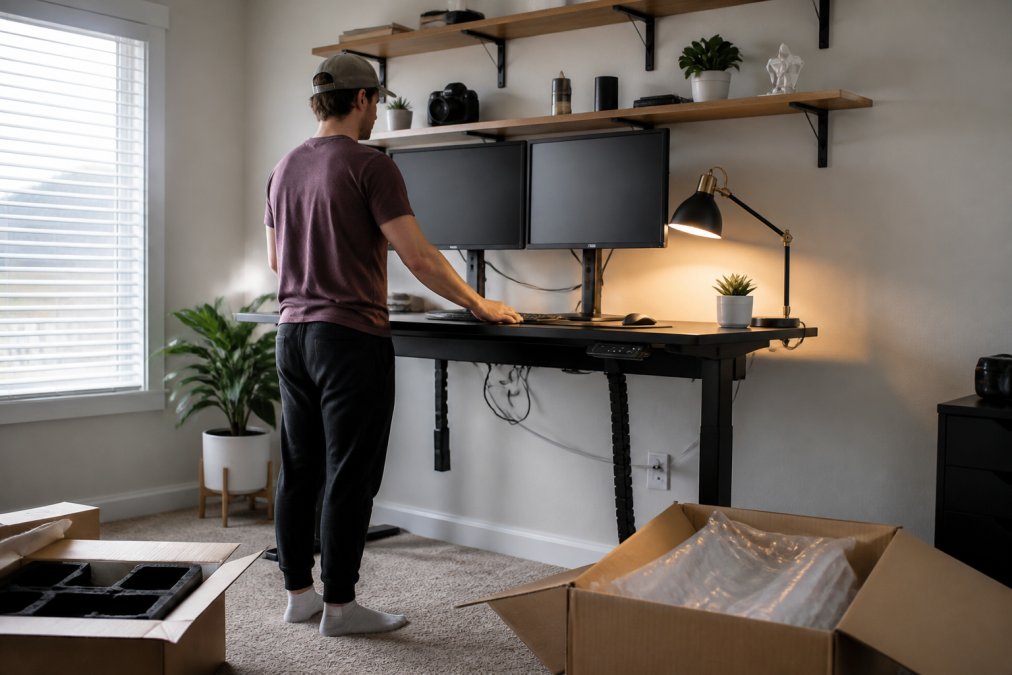
Your desk should allow height adjustment. A standing desk isn't a luxury; it's a tool for movement. The Uplift V2 Standing Desk ($599) uses a dual-motor system that smoothly raises and lowers, letting you alternate between sitting and standing throughout the day. The stability at maximum height matters more than you'd think, wobbling desks break focus and strain your wrists.
The real win with a standing desk is the ability to move. Sitting all day is stagnation. Standing all day is equally problematic. A desk that adjusts in seconds lets you change positions without breaking your workflow.
Monitor Positioning and Standing Desk Options
Monitor height and distance directly affect eye strain and neck posture. Your screen should sit at eye level, about an arm's length away. If your monitor is too low, you'll hunch forward. Too high, and you'll crane your neck backward.
The Dell UltraSharp U2723QE ($580) solves multiple problems at once. It's a 27-inch 4K monitor with an adjustable stand that tilts, swivels, and pivots. More importantly, it integrates a USB-C hub, which means one cable connects your laptop, charges it, and handles all your data. This single-cable setup dramatically reduces desk clutter and eliminates the cable management nightmare most remote workers face.
For those working with a small desk footprint, a monitor arm mounted to the wall or desk edge frees up surface space while giving you precise positioning control. A Grovemade Desk Shelf ($180) elevates your monitor while providing storage underneath for your keyboard and mouse, improving both ergonomics and organization.
If you work across multiple applications or need serious screen real estate, a dual-monitor setup beats a single ultrawide for most workflows. Two 27-inch monitors give you more usable space than one curved ultrawide, and the bezel between them becomes invisible after about 20 minutes of use.
Best Home Office Lighting for Video Calls and Focus
Lighting shapes how you appear on camera and how alert you feel during the workday. Poor lighting makes you look exhausted, triggers eye strain, and signals to your brain that it's time to wind down.
Task lighting matters more than ambient light. The Elgato Key Light ($199) is purpose-built for video calls: it's an LED panel mounted on a desk clamp that provides soft, flicker-free illumination. The app lets you adjust brightness and color temperature in seconds. Set it to cool white (5000K) for video calls and warmer tones (3200K) for focused work in the afternoon.
Avoid positioning light sources directly behind you or your monitor. Backlighting creates a silhouette effect and makes your face darker on camera. Instead, position task lighting at a 45-degree angle to your face, slightly above eye level. This mimics professional studio lighting and flatters your appearance without looking artificial.
Natural light is free but unreliable. If your workspace has a window, position your desk perpendicular to it, not facing it directly. Direct sunlight causes glare on screens and creates harsh shadows. A window to your side provides ambient light without these problems.
Many remote workers overlook blue light exposure. Screens emit blue wavelengths that suppress melatonin production, making it harder to sleep after work (Checking your browser). Using your monitor's built-in blue light filter or wearing blue light glasses in the afternoon helps maintain your circadian rhythm.
Input Devices and Connectivity Tools
Your keyboard and mouse are where your hands live for 8+ hours. Cheap peripherals cause wrist strain and fatigue. Quality input devices pay dividends.
The Keychron Q1 Pro ($199) is a mechanical keyboard with hot-swappable switches, meaning you can customize the typing feel to your preference.
How to Organize a Small Home Office
Small spaces demand ruthless prioritization. You can't fit everything, so you must choose what matters most.
| Organization Element | Best For | Space Impact |
|---|---|---|
| Wall-mounted shelves | Books, decorative items, storage boxes | Vertical, minimal footprint |
| Pegboard system | Cables, headphones, frequently-used tools | Vertical, highly customizable |
| Under-desk cable tray | Cable management and hiding clutter | Hidden, organized |
| Desk clamp light | Task lighting without floor space | Minimal, adjustable |
| Vertical filing cabinet | Documents and supplies | Compact, accessible |
Creating Your Ideal Workspace: The Complete Setup Checklist
Building your ideal work from home setup is iterative. Start with essentials, test for a month, then add components that solve real problems you've identified.
Essential tier (start here):
- Ergonomic chair with lumbar support
- Adjustable desk (standing or sit-stand)
- Monitor at eye level
- Task lighting
- Keyboard and mouse that don't cause wrist strain
Productivity tier (add after one month):
- Second monitor or ultrawide display
- Monitor arm for precise positioning
- Mechanical keyboard
- Ergonomic mouse
- Docking station for cable management
Optimization tier (refine based on your workflow):
- Under-desk treadmill or walking pad for movement
- Noise-canceling headphones for call quality
- Blue light filtering glasses for afternoon work
- Desk organizer and cable management system
- Ambient lighting to complement task lighting
Beyond Your Home: Why a Third Space Matters
Your home office is optimized for focused work, but it's not optimized for everything. Video calls, brainstorming, client meetings, and casual collaboration often feel awkward in a home environment. This is where a third space, a location outside your home and your employer's office, becomes valuable.
Conclusion
The best work from home setup combines ergonomic furniture, intentional lighting, quality peripherals, and smart organization into a space where you can focus without physical strain. Start with essentials, a good chair, an adjustable desk, and proper monitor positioning, then iterate based on what your body and workflow actually need.
Frequently Asked Questions
What equipment is truly essential for a work-from-home setup?
The essentials depend on your role, but most remote workers need a reliable desk, ergonomic chair with lumbar support, monitor(s), keyboard, mouse, and proper lighting. If you're on video calls frequently, task lighting becomes critical to avoid shadows and eye strain. A docking station or cable management system keeps your workspace organized and reduces clutter that drains focus.
How can I improve my home office ergonomics without spending a fortune?
Start with chair height and monitor position. Your monitor should sit at eye level about an arm's length away to reduce neck strain. A simple desk riser or monitor stand (like the Grovemade Desk Shelf) elevates your screen affordably. Ensure your chair supports your lower back, and keep your keyboard and mouse at elbow height. These fundamentals matter more than expensive equipment.
What's the best lighting setup for video calls at home?
Position light in front of you, not behind you, to avoid backlighting that makes you appear dark on camera. Task lighting like the Elgato Key Light provides adjustable brightness and color temperature, improving video quality during calls. Supplement with ambient lighting to reduce harsh shadows. If budget is tight, a simple desk lamp angled toward your face works, but professional lighting prevents eye strain during long call days.
How do I organize a small home office effectively?
Use vertical space: wall-mounted shelves, cable trays, and monitor stands free up desk surface. A single monitor or ultrawide display takes less space than dual setups. Choose a compact docking station that consolidates cables. Keep frequently used items within arm's reach and store seasonal or rarely used equipment elsewhere. Minimalist desk design, only essentials visible, makes small spaces feel larger and reduces distractions.
Should I invest in a standing desk or treadmill for my work-from-home setup?
Standing desks like the Uplift V2 reduce sedentary time and improve circulation during the workday. Treadmills like the WalkingPad C2 add movement without interrupting focus. Neither replaces good posture or regular breaks, but both combat the health risks of sitting all day. If budget is limited, start with a basic adjustable desk; a walking pad is a secondary upgrade for those prioritizing activity.
How does a third space like a coffee shop complement my home office setup?
Your home office is optimized for focused, solo work, but a third space offers change of scenery, ambient activity, and community connection that boost motivation and reduce isolation. A reliable venue with Wi-Fi, power outlets, and quality coffee, like Third Space Coffee, lets you work productively outside home while maintaining your ergonomic standards and staying connected to your community.