
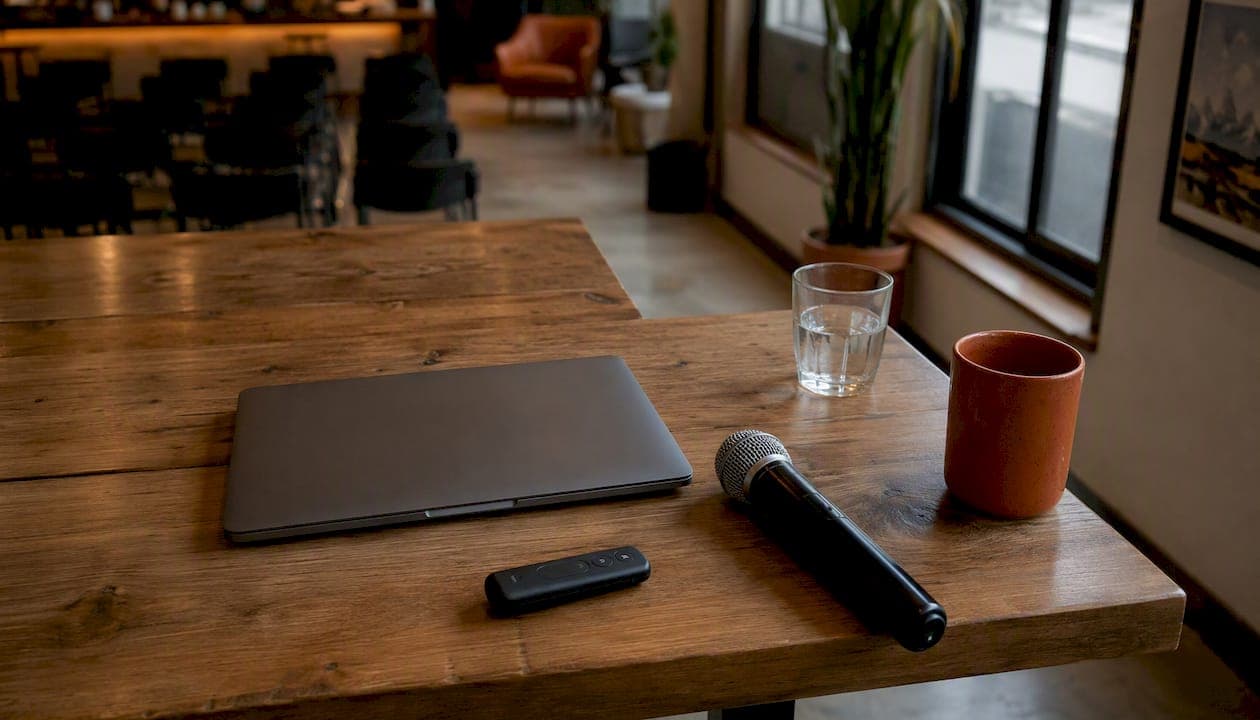
Good meeting room etiquette comes down to six habits: book only the space you need, show up prepared, start and stop on schedule, keep phones and side chatter to a minimum, make remote attendees full participants instead of an afterthought, and leave the room ready for whoever books it next. None of this requires a training seminar. It requires people to treat a shared room the way they'd treat a borrowed car: return it in better shape than you found it.
Most meeting friction in offices doesn't come from bad ideas or difficult people. It comes from small, avoidable lapses: a booking nobody canceled, an agenda nobody read, a laptop mic that squeals through the whole call. Fix the mechanics and the meetings themselves tend to get better too.
Here's the checklist to start with:
- Book the room only when you actually need it, and cancel the second plans change.
- Send a short agenda at least 24 hours ahead so people show up ready, not reactive.
- Start on time regardless of who's missing, and end on time regardless of what's left.
- Mute notifications, keep phones off the table, and save side conversations for after.
- Set up cameras, mics, and screen share so remote attendees can see, hear, and speak as easily as anyone in the room.
- Clear the table, wipe the board, and release the booking before you walk out.
- Report anything broken so the next group doesn't inherit your problem.
The rest of this guide walks through each of these in more detail, plus copyable templates for agendas and room handovers you can paste straight into a calendar invite.
Key Takeaways
Meeting room etiquette works when booking discipline, punctuality, preparation, and a clean handover happen together, not as isolated habits.
| Point | Details |
|---|---|
| Check your next booking | Cancel it immediately if plans have changed, so someone else can use the slot. |
| Send the agenda early | Share goals, topics, and time boxes at least 24 hours before the meeting starts. |
| Run a five-minute AV check | Test screen, mic, camera, and conferencing link before attendees arrive. |
| Protect the end time | Treat it as fixed, and schedule a follow-up instead of running over. |
| Leave the room reset | Clear the table, wipe the board, and release the booking before you walk out. |
Table of Contents
- Meeting Room Etiquette Starts With How You Book the Space
- Starting and Ending Meetings on Schedule
- Building an Agenda People Actually Read
- How to Behave Once the Meeting Starts
- Making Hybrid and Remote Attendees Full Participants
- Getting the Tech Right Before Anyone Walks In
- Food, Drink, and Leaving the Room Ready for the Next Group
- Who's Responsible for What: Roles in a Meeting
- Handling Late Arrivals and Early Departures Gracefully
- Setting Room Rules Your Whole Team Will Actually Follow
- Copy-and-Paste Templates for Agendas and Handovers
- Managing Interruptions and Side Conversations
- Why This Matters More Than It Seems
- Sources
Meeting Room Etiquette Starts With How You Book the Space
Room hoarding and "ghost meetings," recurring bookings nobody actually uses anymore, are two of the fastest ways to poison a shared space. If your team has ever hunted for an open room only to find three reserved and empty, you've felt the cost firsthand. A practical 12-rule checklist for shared rooms puts booking discipline at the top: reserve before you use a room, pick a room sized to your headcount instead of grabbing the biggest one out of habit, and cancel the instant your plans shift.
Right-sizing matters more than people assume. A 12-person conference room booked for a two-person call blocks a resource that a larger group might need that same hour. Match the room to the meeting, not to whichever calendar slot looked available first.
Cancellation is the other half of the equation, and it's where most people slip. Many office booking platforms now include check-in and auto-release features that free up a room automatically if nobody shows within a set window. Systems with these features reduce no-shows and reclaim unused slots, which matters more than it sounds. A room sitting reserved but empty for an hour isn't a minor inconvenience. It's an hour someone else couldn't get.
Your calendar invite should do more than name a time slot. Include the meeting's purpose, the host's name, expected duration, and any AV needs (screen share, video conferencing, a whiteboard). That way anyone glancing at the room schedule knows exactly what's happening and for how long, without needing to ask.
Pro Tip: If your building doesn't have digital room displays, a small whiteboard or sticky note on the door with the meeting's end time solves most double-booking disputes before they start. It's a low-tech fix for a high-friction problem.
Starting and Ending Meetings on Schedule
Punctuality in a shared room isn't just personal discipline. It's a promise to the group booked in right after you. Begin at the scheduled time even if a few people are still trickling in. Waiting for stragglers trains people to show up late, and it eats into time that belongs to whoever reserved the room next.
Realistic scheduling prevents most overruns before they happen. If a topic clearly needs 90 minutes, don't book 60 and hope for the best. And if a meeting runs long anyway, the fix isn't to keep talking past your slot: it's to schedule a follow-up instead of overrunning, a small mental shift that respects both the next group and everyone's actual calendar.
- Start at the top of the hour, not "whenever most people are here."
- Build a five-minute buffer into your booking so setup and wrap-up don't eat into discussion time.
- Aim to end two or three minutes early, not exactly on the mark, so you have time to reset the room.
- If the conversation isn't finished, capture what's left as a follow-up agenda item rather than stretching the clock.
- Treat the booked end time as fixed, the same way you'd treat a flight departure.
Building an Agenda People Actually Read
An agenda earns its keep when it changes how a meeting runs, not when it exists as a formality nobody opens. At minimum, it should state the meeting's goal, list the topics in order, allocate rough time to each, flag any decisions that need to be made, and note any pre-work attendees should complete beforehand.
Timing the distribution matters as much as the content. Agendas shared at least 24 hours ahead act as a roadmap and keep meetings focused, giving people time to actually read them instead of skimming during the walk to the conference room. That lead time also gives quieter participants a chance to think through their input before they're put on the spot.
Distributing a clear agenda at least a day in advance is one of the simplest, most consistently cited habits separating focused meetings from meandering ones. It gives every attendee a fair shot at showing up prepared instead of reactive.
Pair the agenda with a short logistics check: confirm the room layout fits your group, charge any shared devices, and make sure whiteboard markers actually have ink left. It's a small step, but nothing derails momentum faster than five people discovering the only marker in the room is dry.
Our own guide on planning business meetings that get results covers agenda structure in more depth if you want a template to build from.
Pro Tip: Attach any pre-read documents directly to the calendar invite rather than sending a separate email. People are far more likely to open a file that's one click away than one buried in their inbox.
How to Behave Once the Meeting Starts
Once everyone's in the room, etiquette shifts from logistics to conduct. Active listening looks less like nodding and more like a specific set of habits: no scrolling, no interrupting, and responding in a way that shows you tracked what was actually said rather than what you assumed would be said.
Nonverbal signals carry more weight than most people realize. Professional presence is shaped by posture, eye contact, and the absence of a phone on the table, and people form judgments about competence and respect before anyone finishes a sentence. Slouching, checking a phone, or scrolling a laptop during someone else's point reads as disengagement even if your attention is genuinely elsewhere for a good reason.
Quick do's and don'ts for the room:
- Do put your phone away, not just on silent.
- Do wait for a natural pause before jumping in, rather than talking over the last word of someone's sentence.
- Don't run side conversations while someone else has the floor.
- Don't dominate the discussion just because you're the most senior person in the room.
- Do take notes by hand or on paper when the topic is sensitive; typing on a laptop or phone during a confidential discussion can look like texting even when it isn't.
Facilitators carry extra responsibility here. A good one keeps the discussion on the agenda's timeline, redirects tangents gently, and makes a point of pulling remote participants into the conversation by name rather than letting them fade into background noise.
Pro Tip: If you're a guest in someone else's meeting room, wait to be shown a seat rather than picking the head of the table. Seating position carries more unspoken meaning in a business setting than most people account for.
Making Hybrid and Remote Attendees Full Participants
Hybrid meetings fail in predictable ways: the remote person can't hear a side comment, the in-room group forgets anyone's on the call, or feedback from two live mics turns the whole thing into static. A standards-based hybrid meeting guide recommends a single audio source per room, disconnecting extra devices from the conferencing tool, and appointing a queue manager for larger groups to keep speaking turns fair between remote and in-room voices.
Inclusion is a set of small, repeatable actions. Call remote participants by name when inviting input. Position the camera so it shows the whole room, not just the person nearest the laptop. Share your screen for anything visual instead of describing it verbally and assuming that's enough.
Room size changes what good setup looks like:
| Meeting size | Audio and video setup |
|---|---|
| Small (few people) | A single laptop with a wide-angle camera and built-in mic usually suffices; position it centrally so no one is off-frame. |
| Medium (several people) | A dedicated conferencing speakerphone or soundbar reduces echo; disable individual laptop mics to avoid feedback. |
| Large (10+ people) | Ceiling or table-array microphones paired with a queue manager keep remote attendees from being talked over. |
For meetings that run in-person, hybrid, and fully remote formats side by side, the facilitation load isn't equal. In-person meetings mostly need someone managing the agenda. Hybrid meetings need that plus deliberate techniques like repeating remote comments into the room and running a visible speaking queue so contributions don't get lost between two mediums. Fully remote meetings, oddly, are often the simplest to run fairly, since everyone is working through the same interface with no in-room advantage.
Pro Tip: Assign a chat monitor for any hybrid meeting with more than six people. Someone will type a good point into the chat that never makes it into the spoken conversation unless a designated person is watching for it.
Getting the Tech Right Before Anyone Walks In
Most AV failures are preventable with a two-minute check run before people arrive. Confirm the projector or screen displays correctly, test the video conferencing link, check that the microphone and camera work, and make sure your laptop isn't running on 4% battery.
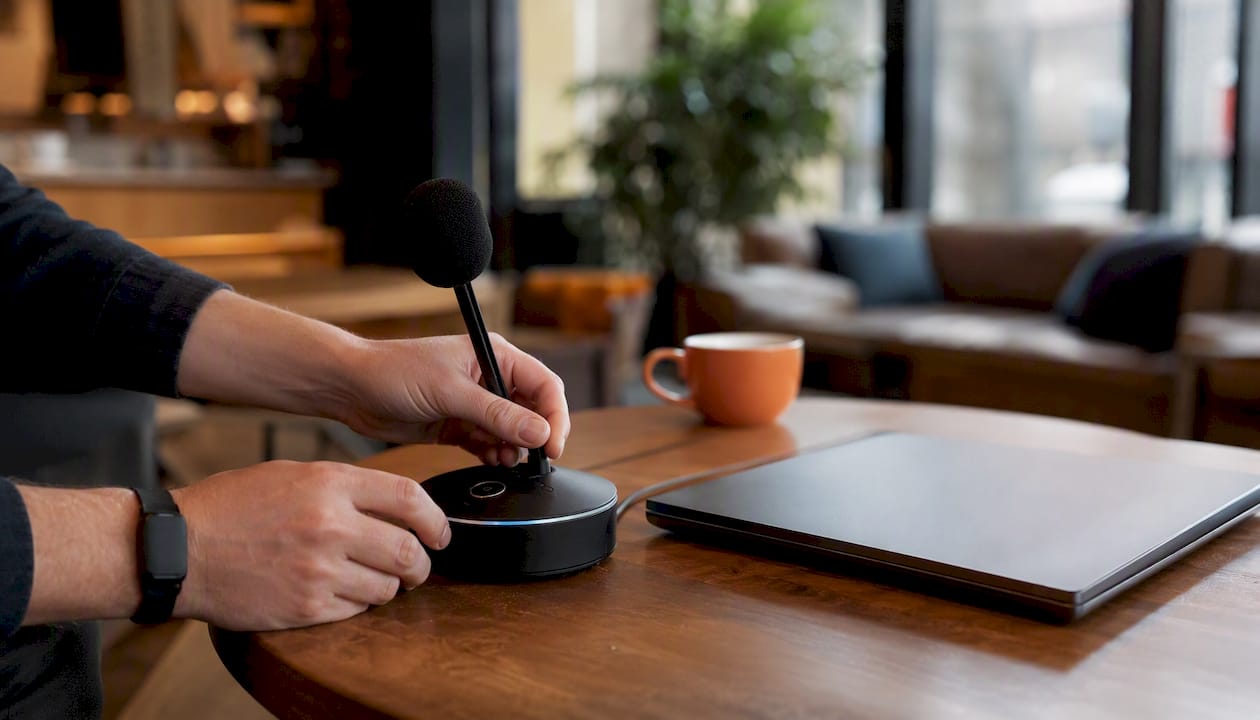
Device etiquette matters just as much as the hardware itself. Mute your microphone when you're not speaking, especially in larger hybrid meetings where background noise compounds fast. Use a headset rather than laptop speakers when you're joining remotely from a shared or noisy space, since laptop mics tend to pick up everything in the room. Never run two devices logged into the same call from the same room. That's the single most common cause of the feedback loop that derails an otherwise smooth meeting.
For small conference rooms, a dedicated conferencing speakerphone (the compact puck-style units built for tabletop use) usually outperforms a laptop's built-in speaker and mic combination by a wide margin. If your room regularly hosts calls larger than eight people and still relies on laptop audio, that's the point to request dedicated AV support from facilities rather than troubleshooting it meeting after meeting.
Pro Tip: Run your tech check five minutes before the invite time, not five minutes into the meeting. That buffer is the difference between a smooth start and apologizing to eight people while you restart your laptop.
Food, Drink, and Leaving the Room Ready for the Next Group
Coffee and water are safe defaults in almost any meeting room. Strong-smelling food, crumbly pastries, or anything that requires real cleanup afterward is riskier, and it's worth checking with the host before bringing it in. If catering is involved, plan for who handles cleanup before the meeting ends, not as an afterthought once everyone's already grabbing their bags.
The handover matters just as much as anything that happened during the meeting. A short, consistent clean-up checklist takes about 90 seconds and prevents the next group from walking into your mess:
- Wrap up on time so you're not rushing the reset.
- Clear cups, plates, and papers off the table.
- Push chairs back in and reset furniture to its original layout.
- Wipe the whiteboard clean unless someone's asked you to leave it.
- Release the room booking manually if your system doesn't auto-release it.
If something's broken (a dead remote, a flickering projector bulb, a jammed door), report it to facilities or the room's host before you leave, not three meetings later when someone else discovers it the hard way.
Who's Responsible for What: Roles in a Meeting
Clear roles prevent the awkward silence where everyone assumes someone else is tracking the time or writing things down. Four roles cover most meetings:
- Host/organizer: books the room, sends the agenda, confirms attendance.
- Facilitator/moderator: keeps discussion on topic and on schedule, and makes sure remote voices get heard.
- Note-taker/timekeeper: records decisions and action items, and flags when a topic is running over its allotted time.
- AV support: tests equipment beforehand and troubleshoots if something fails mid-meeting.
Rotating these roles across team members, rather than always defaulting to the same person, builds shared ownership of meeting quality instead of leaving one person to carry it every time.
Pro Tip: Assign the note-taker role before the meeting starts, not after someone asks "did anyone write that down?" during the wrap-up. It's a two-second ask that saves a genuinely annoying scramble.
Handling Late Arrivals and Early Departures Gracefully
Life happens, and meetings run into scheduling conflicts. The way you enter late or exit early says more about your professionalism than the fact that it happened at all.
If you're running behind, slip in quietly, take an open seat, and resist the urge to whisper "sorry, what did I miss?" mid-discussion. Catch up during a natural pause instead. If you know in advance you'll be late, a quick message to the host beats a surprise entrance.
- Enter without announcing yourself loudly or interrupting whoever's speaking.
- Send the host a heads-up in advance whenever possible, even a one-line message.
- If you need to leave early, tell the host beforehand and exit during a natural break, not mid-sentence.
- Follow up afterward with the note-taker to confirm you didn't miss any action items assigned to you.
- Skip the lengthy apology. A brief nod and a seat is enough.
Setting Room Rules Your Whole Team Will Actually Follow
Policies only work if people encounter them at the moment they'd actually break one, not buried in a handbook nobody reopens after onboarding. Publish room rules in three places: the calendar event template itself, a shared intranet page, and physical signage on the room door.
Calendar labels work best when they're short and specific: "30 min max, cancel if unused by [time]" does more work than a generic "Meeting Room A booking policy" link nobody clicks. Enforcement should lean on the same tools already mentioned: check-in requirements and auto-release settings handle most no-show problems automatically, without anyone having to play room monitor. For the occasional exception, a friendly nudge works better than a formal complaint: "Hey, are you still using this room? We've got it booked in ten" resolves most conflicts on the spot.
Our meeting space booking guide walks through booking logistics in more detail if your team is setting up a shared calendar system from scratch. For hospitality-side perspective on how service teams communicate expectations to guests, the approach outlined in this hospitality customer service guide applies just as well to internal meeting culture as it does to guest-facing service.
Pro Tip: Post a laminated one-page rules card inside every conference room, not just at the entrance. People read signage while waiting for a meeting to start far more than they read anything posted on the door they walked past in a hurry.
Copy-and-Paste Templates for Agendas and Handovers
A one-page agenda template you can drop straight into a calendar invite:
- Meeting goal: one sentence stating the decision or outcome you need.
- Time box: total duration, broken into segments per topic (e.g., 10 min updates, 20 min discussion, 10 min next steps).
- Topics: listed in priority order, not just chronological order.
- Decisions required: flag anything that needs a yes/no or a choice by the end.
- Pre-work: link any documents attendees should review beforehand.
A handover checklist for outgoing groups:
- Confirm the meeting ended on time.
- Clear the table of cups, papers, and devices.
- Reset chairs and furniture.
- Wipe the whiteboard.
- Release the booking in the calendar system.
An AV pre-check script to run five minutes before start: confirm the screen displays, test the conferencing link, check mic and camera function, verify laptop charge, and confirm remote attendees can hear and be heard.
If you're planning a meeting or small offsite and want a space that already has the coffee handled, Third Space Coffee's home page has details on booking a room, and the whole bean coffee page covers what's available if you'd rather brew for your team back at the office.
Managing Interruptions and Side Conversations
Side conversations rarely start out of rudeness. They start because someone had a quick thought and didn't want to lose it before the topic moved on. The fix isn't a stern look across the table; it's giving people a low-friction way to park that thought.
A shared notes doc or a physical "parking lot" list on the whiteboard works well: anyone can jot a tangent there without derailing the live discussion, and the facilitator circles back to it before the meeting ends. For genuine interruptions, whether that's someone talking over another person or two attendees drifting into their own conversation, the most effective correction is quiet and immediate: a facilitator saying "let's hold that thought, we'll come back to it" does far more than letting the tangent run for two minutes before addressing it.

Interruptions from outside the room deserve the same treatment. If someone knocks expecting the room to be free, or a colleague pokes their head in mid-discussion, resolve it in ten seconds at the door rather than pulling the whole group into the conversation. Protecting the room's boundary is part of protecting everyone's time inside it.
Why This Matters More Than It Seems
Meeting etiquette gets dismissed as soft stuff, the kind of thing that sounds nice in a handbook but doesn't actually move the needle. I disagree, and the evidence backs that up: meeting behavior directly affects both efficiency and how colleagues perceive each other professionally. A team that consistently starts on time, prepares agendas, and hands off rooms cleanly isn't just being polite. It's removing friction that would otherwise compound across dozens of meetings a week.
At Third Space Coffee, we see this play out constantly with the groups that book our space for gatherings and small meetings. The teams that leave the room in good shape, that show up with an agenda, that manage their own time, are almost always the same ones running the smoothest meetings to begin with. Etiquette and outcome aren't separate things. They're the same habit viewed from two angles.
If you're weighing venues for a small offsite or a recurring team meeting, a space that already treats hospitality as part of the job, not an afterthought, tends to make the etiquette side easier too. Our post on why coffee shops make strong community event venues goes into why that hospitality-aware handover mindset carries over well into professional settings.
Adopt the checklist. Share it with your team before your next recurring meeting, not after the third double-booking complaint.
Sources
- Hybrid meeting practices guide — IEEE
- Meeting Room Etiquette: 12 essential rules — Wezoo
- Meeting room etiquette: rules that stop ghost meetings — Deskbird
- 15 meeting guidelines that work — Joan Workplace
- Etiquetteexpert