 how-to
How to Stay Productive in a Coffee Shop (2026 Guide)
Table of Contents
- Coffee Shop Productivity Starts With the Right Setup
- Coffee Shop Etiquette for Remote Workers
- How to Find Remote Work Friendly Cafes
- Essential Gear for Working From a Coffee Shop
- Time Blocking and Session Planning That Actually Works
- Managing Distractions and Ambient Noise in Public Spaces
- Cybersecurity and Power Management for Public WiFi
- Frequently Asked Questions
Last Updated: September 20, 2026
Coffee Shop Productivity Starts With the Right Setup
Staying productive while working from a coffee shop comes down to three things: the right seat, the right gear, and a plan for your session before you walk in. Get those right and a café can beat a home office for focus. At Third Space Coffee, we watch remote workers settle in every day, and the ones who get the most done follow a repeatable routine.
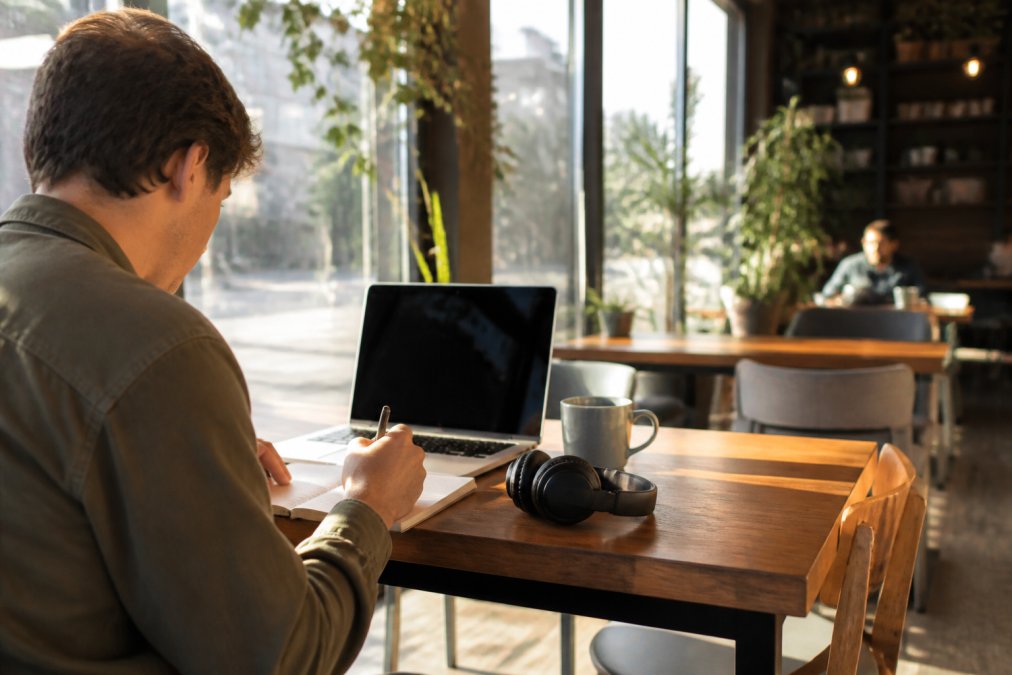
Here is what a strong setup looks like:
- A table with a power outlet within reach
- A seat facing away from the door and the pickup counter
- Headphones on before the laptop opens
- Water and one coffee, not three
- A written task list with three items, maximum
That last point is the one most people skip.
Coffee Shop Etiquette for Remote Workers
Coffee shop etiquette for remote workers comes down to one principle: your tab should track your time at the table. Buy something every couple of hours, keep calls quiet, and never spread across a four-top alone. Follow those rules and staff will welcome you back.
- Order within the first 15 minutes of sitting down.
- Place a second order every two hours you stay.
- Take long calls outside or in a booth.
- Keep your bag off the next chair during busy hours.
- Tip the baristas. They are hosting your workday.
The Etiquette-to-Spend Ratio
Most guides gloss over the money question, but it is the single biggest source of tension between remote workers and café staff. A workable rule of thumb: budget roughly one drink or food item per 90 minutes of table time, and step up to a full meal if you cross the three-hour mark.
A few practical ways to keep the ratio honest:
- Order before you settle in. A drink on the table signals you are a customer, not a squatter.
- Set a phone timer. When it goes off, either order again or start packing up.
- Buy the bigger size. A large drip costs less per hour of occupancy than three small ones.
- Add a food item at the two-hour mark. It resets the clock and supports the kitchen.
- Leave a tip on every order, not just the first. Baristas track regulars by how they treat the tip jar.
How to Find Remote Work Friendly Cafes
A remote work friendly café offers three things: reliable Wi-Fi, accessible power outlets, and enough seating that you are not rushed out. Test all three before you commit to a long session.
What to Check Before You Commit to a Table
Run through this list before you unpack:
- Outlet access: Look for a plug near your seat, not across the room.
- Wi-Fi strength: Load a video call test before you rely on it.
- Seating policy: Ask if there is a time limit during peak hours.
- Noise level: Ambient noise helps some people focus and wrecks others.
- Bathroom access: A long session needs one.
- Food options: Gluten-free and vegan choices keep you fueled without leaving.
Third Space Coffee was built with remote workers in mind: in-house roasted beans, plenty of seating, and a space that stays welcoming whether you are here for an hour or an afternoon. We also rent meeting rooms for teams that need a quieter setup.
Essential Gear for Working From a Coffee Shop
Essential gear for working from a coffee shop fits in one bag: a charged laptop, noise-canceling headphones, a portable charger, a Wi-Fi hotspot backup, and a laptop stand for ergonomics. Everything else is optional.
- Laptop and charger: Charge to full before you leave home.
- Noise-canceling headphones: The single best focus tool you can carry.
- Portable battery: Covers you when outlets are taken.
- Phone hotspot: A backup when public Wi-Fi fails.
- Laptop stand or riser: Raises the screen to eye level.
- Compact keyboard and mouse: Better posture for long sessions.
Time Blocking and Session Planning That Actually Works
Time blocking turns an open-ended café visit into a structured work session. Plan two or three blocks of 45 to 90 minutes each, with short breaks between them. This beats sitting down with no plan and drifting between tasks.
Here is a session plan that holds up:
| Block | Duration | Focus | Break After |
|---|---|---|---|
| Block 1 | 90 minutes | Deep work on one task | 10 minutes |
| Block 2 | 45 minutes | Email and messages | 10 minutes |
| Block 3 | 60 minutes | Task batching and follow-ups | End session |
Managing Distractions and Ambient Noise in Public Spaces
Distractions in public spaces fall into two groups: sound and motion. Noise-canceling headphones handle the first. Seat choice handles the second. Together they protect your concentration without much effort.
Ways to cut distractions:
- Sit with your back to the room, facing a wall.
- Avoid tables near the door, register, or pickup counter.
- Use a focus playlist or brown noise if headphones alone are not enough.
- Turn off phone notifications during deep work blocks.
- Keep one tab open at a time when you can.
Cybersecurity and Power Management for Public WiFi
Public Wi-Fi is convenient and not private. On an open network, anyone else connected can potentially observe unencrypted traffic, and a network with a familiar name may not be the one the café actually operates. A VPN, updated software, and good password habits close most of that gap, but the details matter more than the checklist.
Why Public Networks Are Risky
Three mechanisms drive most public Wi-Fi exposure:
- Unencrypted traffic. Older sites and services that still use plain HTTP send data in the clear. Anyone on the network with basic tools can read it.
- Rogue hotspots. An attacker can broadcast a network name that looks like the café's. Your laptop may auto-connect before you notice.
- Shared-network snooping. Even on a legitimate network, other devices can sometimes see what you are doing if file sharing or discovery services are on.
A VPN wraps your traffic in an encrypted tunnel, so even if someone on the network intercepts it, they see gibberish. That is the core defense. Everything else is hardening around it.
A Concrete Security Routine
Run through this before you connect, and again before you log into anything work-related:
- Turn off auto-connect to open networks in your laptop's Wi-Fi settings. This is the single most overlooked step.
- Disable file sharing and AirDrop-style discovery while you are on a public network.
- Connect the VPN first, then open your browser or work apps. Order matters.
- Confirm HTTPS before entering any credential. Look for the padlock and the correct domain.
- Use a password manager so every account has a unique password. Reused passwords turn one breach into many.
- Enable two-factor authentication on email, banking, and work accounts. A stolen password alone then is not enough.
- Log out of work systems when you finish, rather than leaving sessions open.
Power Management That Survives a Full Session
A dead laptop ends a session faster than any distraction. Treat battery life as a resource you plan around, not a surprise you react to.
- Charge to full before you leave home. A café outlet is a backup, not a plan.
- Dim the screen to the lowest comfortable brightness. The display is usually the largest power draw on a laptop.
- Close unused apps and browser tabs. Background processes and auto-refreshing tabs drain battery quietly.
- Turn off Bluetooth and keyboard backlighting when you are not using them.
- Carry a battery pack sized to your laptop. A phone-sized pack will not charge a laptop meaningfully; match the pack's output to your machine's power needs.
- Know where the outlets are before you commit to a seat. Scout on your first visit.
Frequently Asked Questions
How long is it acceptable to stay at a coffee shop while working?
There is no fixed rule, but the standard most remote workers follow is to buy something every 90 minutes to two hours and to leave if the shop fills up. If you plan to stay four or more hours, order a drink and a food item, tip well, and avoid occupying a large table meant for groups. Some cafes post time limits on WiFi receipts or table signs, so read those first. When a shop is quiet, longer stays are usually welcome; when it is busy, rotate out.
What gear actually makes a difference for coffee shop productivity?
The items that change your output most are noise-canceling headphones, a laptop battery that lasts at least six hours, a compact laptop stand for ergonomics, and a portable charger. A privacy screen and a VPN matter if you handle client data. Skip anything bulky. The goal is a bag you can set up in under two minutes and pack just as fast, so you spend your session working instead of arranging your desk.
Is it rude to work in a coffee shop without buying anything?
Yes, in most cases. A cafe is a business, and a table you occupy for hours without a purchase costs the owner revenue. The baseline expectation is one purchase per person per visit, with repeat orders for longer stays. If you are waiting for a meeting or just charging your phone, ask a barista first. Most will say yes if you are upfront and the shop is not slammed.
How do I stay focused when the coffee shop gets loud?
Use ambient noise to your advantage rather than fighting it. Brown noise or instrumental playlists at a moderate volume mask conversation spikes better than silence. Pair that with 25-minute work blocks and a short break between them. Sit away from the espresso machine, the door, and the pickup counter, since those are the three loudest zones. If a call comes up, step outside or book a private room if the shop offers one.