 blog
Essential Gear for Working From a Local Coffee Shop
Quick Summary
Essential gear for working from a local coffee shop is a charger, a portable battery, a backup connection such as a phone hotspot, and comfort items like headphones and a laptop stand. Pack only what your session needs, and check outlet access when you arrive.
- Carry your laptop charger every time, even on short trips.
- Match the portable battery to the laptop's wattage, not just its capacity.
- Use a phone hotspot or USB tethering as a backup if café Wi-Fi fails.
- Noise-canceling headphones help you focus, and a laptop stand protects your neck.
- Pack by session length: short, half-day, or full-day.
Table of Contents
- What Working From a Coffee Shop Actually Demands
- Core Devices and Power: Laptop, Charger, and Portable Battery
- Coffee Shop Work Bag Checklist by Session Length
- Headphones, Mouse, and Stand: Comfort and Ergonomics for Long Sessions
- Keeping Your Gear Secure and Your Connection Reliable
- Coffee Shop Work Etiquette That Keeps You Welcome
- Working Productively Without Overstaying Your Welcome
- Planning Your Next Work Session at Third Space Coffee
- Frequently Asked Questions
What Working From a Coffee Shop Actually Demands
Last Updated: November 5, 2026
Working from a coffee shop sounds simple until you're three hours in, your laptop is at 9 percent, and the only empty outlet is across the room, which is why the right essential gear for working from a local coffee shop matters so much. Good gear decides whether a café session feels productive or frustrating. The right kit makes working from a café easier to do well.
Most of the friction comes from a few predictable problems. Battery life runs out, the Wi-Fi drops during a video call, and the table is too small for your laptop, notebook and coffee at once. People who plan for these three issues tend to stay longer and get more done.
The short version: a working café kit needs power, a way to stay online, and a comfortable setup for your body.
- Power: a charger plus a portable battery
- Connection: a backup plan if the Wi-Fi slows
- Comfort: headphones to block noise and a stand to protect your neck and back
A common mistake is bringing everything you own. Carry only what your session needs. A lighter bag is easier to keep track of and easier to pack up quickly when you have to leave.
Core Devices and Power: Laptop, Charger, and Portable Battery
Your laptop is the center of the setup, and your charger matters just as much. Bring the charger every time, even on short trips. Many people assume they will find an outlet and then discover every seat near one is taken. Find cafes with fast Wi-Fi and outlets for your devices in our best cafes guide.
Match the battery to the device, not the label. A power bank's capacity is listed in watt-hours (Wh) or milliamp-hours (mAh), and those numbers mean different things for a phone versus a laptop. Laptops draw far more energy than phones, so a bank sized for a phone will not go far with a laptop.
Check the output wattage before you buy. Capacity tells you how much energy is stored; wattage tells you how fast it comes out. A bank that outputs 18 W will trickle into a laptop and may not keep pace with active use. Check that the bank's USB Power Delivery (USB-PD) output meets or exceeds what your laptop's own charger is rated for.
Watch out: airlines cap lithium batteries for carry-on, so check the Wh printed on the label before a trip and confirm the airline's current rules.
Cables are a hidden failure point. A cheap cable can charge slower than the one that came with your device, or stop charging altogether. For USB-C laptops, look for a cable rated for the wattage you need, many generic cables top out at 60 W, which is fine for a phone but can throttle a 96 W laptop charger.
If your laptop uses USB-C charging, a single cable can power the laptop and charge a phone. Fewer cables means less clutter on a small café table.
Scout outlets before you commit. Outlet access is the single most common reason a café session ends early. Do a quick lap when you arrive and note which tables sit near a wall outlet or a floor box. Seats along banquettes and under window bars usually have the best access; communal center tables often have none.
Power is the most common reason a café session ends early, so the table below sums up the key battery and charging checks from this section.
| Check | Why it matters | Note |
|---|---|---|
| Power bank capacity | Stored energy, in Wh or mAh | Laptops draw far more than phones |
| Output wattage | Speed of charging | Match or exceed the laptop's draw |
| Airline limit | Carry-on lithium rules | Check the Wh printed on the label |
| Cable rating | Charging speed | Generic cables may cap at 60 W |
| Outlet access | Keeps you charged | Scout outlets when you arrive |
Coffee Shop Work Bag Checklist by Session Length
The right bag depends on how long you plan to stay. A quick 45-minute email session needs far less than a full afternoon of writing or video calls.
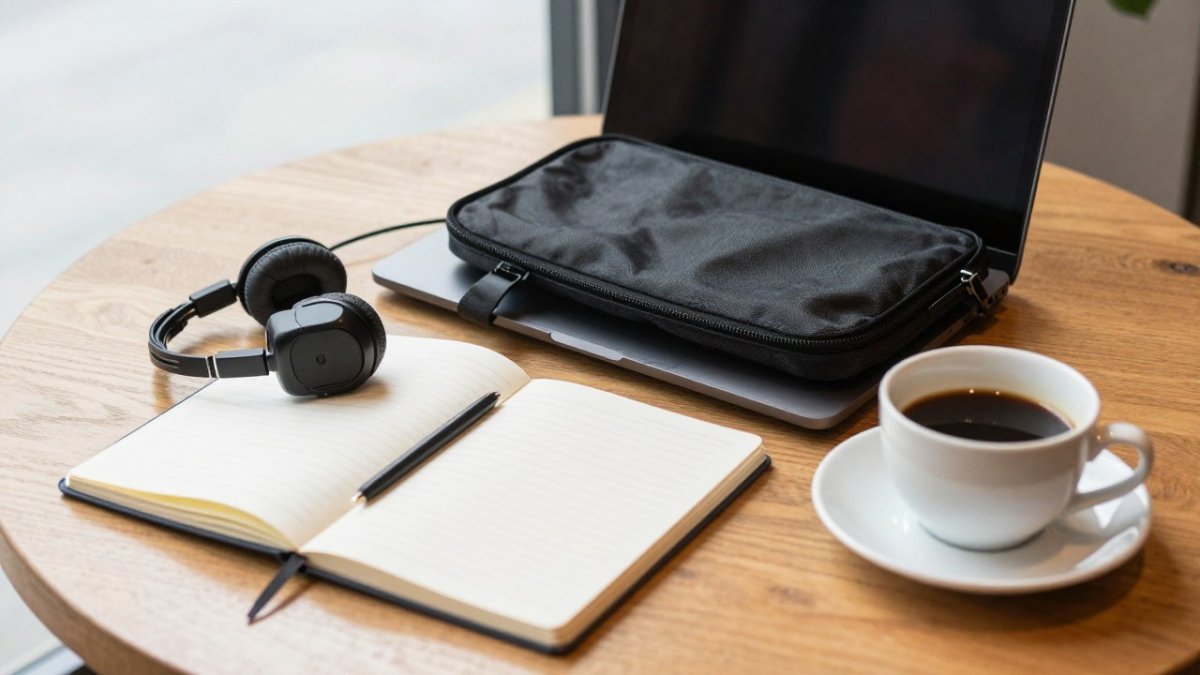
Short session (under 1 hour):
- Laptop and charger
- Phone and cable
- Notebook and one pen
Half-day session (2 to 4 hours):
- Everything above
- Portable battery
- Headphones or earbuds
- Water bottle
Full-day session (4 hours or more):
- Everything above
- Backup charger cable
- Mouse and laptop stand, if you have them
- Snacks, since you may not want to leave your table
Packing by session length keeps the bag light. It also means you are not carrying a laptop stand to a 30-minute meeting, and your essential gear for working from a local coffee shop stays matched to the task at hand.
Headphones, Mouse, and Stand: Comfort and Ergonomics for Long Sessions
Café noise is part of the appeal, but it can break your concentration. Noise-canceling headphones or earbuds let you focus on a call or a document without straining to hear. Over-ear models are more comfortable for long sessions, while earbuds take up less room in a bag.
A small wireless mouse is worth carrying if you do a lot of spreadsheet or design work. A trackpad can cause wrist strain over several hours, and a mouse lets your hand move more freely.
A laptop stand raises the screen to eye level. Looking down at a laptop for hours tends to strain the neck and shoulders. A lightweight stand folds flat and fits in most laptop bags.
Many people find that a stand and an external keyboard make a bigger difference than any other accessory. Try the setup at home first so you know whether it fits your routine.
Keeping Your Gear Secure and Your Connection Reliable
Café Wi-Fi is convenient, but it is not always stable or secure. Our guide on whether free coffee shop Wi-Fi is reliable for work explains what to expect. The practical move is to plan for three failures before they happen: no outlet, weak Wi-Fi, and a battery that drains faster than expected.
Build a connectivity ladder. Treat connections as a ranked list and move down it only when the one above fails. First choice is the café's own network, confirmed with staff. Second is your phone's mobile hotspot. Third is tethering by USB cable, which is often more stable and uses less phone battery than a wireless hotspot. Know your hotspot's data cap before you rely on it, since many plans throttle after a set monthly allowance.
Watch out: public Wi-Fi networks sometimes use fake names that look like the café's real network. Ask staff for the exact network name before you connect, and treat any open network that asks you to install a profile or certificate as a red flag.
Test before you trust. If you rely on Wi-Fi for work, run a quick speed test before a big call. A connection that loads web pages fine can still stutter on video. If the numbers look weak, move to a quieter spot nearer the router, switch to your hotspot, or reschedule the call. A short test takes less than a minute and saves an awkward drop mid-meeting.
Secure the device, not just the network. Lock your screen whenever you step away, even for a minute, use a keyboard shortcut rather than digging through menus. Keep your bag in view or on your lap, not on the floor or on an empty chair.
- Turn on a VPN if your employer requires one
- Disable file sharing and AirDrop-style nearby sharing on your laptop while you are out
- Log out of accounts you do not need during the session
- Use a privacy screen or sit with your back to a wall when handling sensitive work
Plan for a dead battery. If the laptop is at 15 percent and no outlet is free, close background apps, lower screen brightness, and disable Bluetooth and unused radios. Plug in the power bank before the laptop hits zero, since many laptops charge faster and run cooler when topped up early rather than from empty. Carry the charger even on short trips, the session that was supposed to last an hour often runs longer.
Coffee Shop Work Etiquette That Keeps You Welcome
Cafés are shared spaces, and good manners help everyone. See our tips for professional remote work in public cafes for more practical advice. Order something every time you sit down, and order again if you stay for hours. Keep your table clean.
Take calls outside or use headphones so you do not disturb other guests. Keep your belongings close so your seat does not look abandoned. Give up a table when the café is busy and someone is waiting.
These small habits matter. Staff and regulars notice who is respectful, and that goodwill makes it easier to come back.
Working Productively Without Overstaying Your Welcome
The best café sessions have a clear goal. Our guide to staying productive in a coffee shop covers focus and time management in more depth. Decide what you want to finish before you sit down, then set a timer for a focused block of work. When the block ends, take a short break, refill your drink and check whether you still need the table.
If you plan to stay all day, rotate your position. Move to a standing spot or a different chair to reset your posture. Stretch your neck and wrists between tasks.
Plan your next session as part of your routine. Many regulars work at the same café on the same days, which makes packing easier and builds a relationship with the staff.
Planning Your Next Work Session at Third Space Coffee
Third Space Coffee offers a comfortable place to work in Colorado Springs, along with coffee roasted in-house. Bring the gear that fits your session length, and you can focus on the work instead of the setup. Visit our website to see current hours and learn more about our space for work and meetings.
Frequently Asked Questions
What should I wear when working at a coffee shop?
Dress in layers, since café temperatures shift between the door and the back seating and often change with the crowd. Choose comfortable clothing you can sit in for hours, and bring a light jacket or scarf you can drape over the chair. Shoes you can slip on and off are useful if you need to step out for a call. Keep the outfit practical rather than formal: most coffee shop workers dress casually, so you will blend in and feel comfortable through a long session.
How long is it appropriate to work at a coffee shop?
Most coffee shops welcome a customer working for a few hours as long as they keep buying drinks or food at a reasonable pace. Buy a fresh item every hour or two, avoid saving seats for long periods during busy times, and move if the line grows. If you plan a full workday, check with staff first, since policies vary by location and by whether the shop is hosting events. Scheduling heavy calls for quieter hours also helps you stay welcome.
What coffee shop etiquette should remote workers follow?
Keep calls short, use headphones for audio, and take meetings outside the main seating area when you can. Do not spread belongings across neighboring tables, and clean up your space before you leave. Order regularly, tip the staff, and be considerate of others trying to find a seat. Treat the shop as a shared space: respect the noise level, avoid blocking outlets people need, and thank the staff when you leave.
How can I keep my laptop and belongings safe at a coffee shop?
Never leave your laptop unattended, even for a short trip to the restroom. Use a bag with a lockable zipper or keep the bag strapped to your leg or chair. Enable full-disk encryption and a strong login password on your device, and use a privacy screen filter if you work with sensitive files in public. Avoid public Wi-Fi for sensitive logins and use a personal hotspot or VPN when possible.