 How-to
7 Ergonomic Tips for Remote Workers in Cafes
Last Updated: November 16, 2026
Quick Summary
Ergonomic tips for remote workers in cafes start with choosing a seat that has a backrest and a table height that fits your body. Raise your laptop screen to eye level with a stand, pair it with an external keyboard, and take a short movement break every 20 to 30 minutes.
- Choose a chair with a backrest over a stool, and keep both feet flat on the floor.
- Position the screen so its top edge sits at or just below eye level.
- Use a foldable laptop stand and a compact external keyboard together.
- Stand up for 30 to 60 seconds every 20 to 30 minutes.
- Stop and change position if stretching causes tingling or numbness.
Table of Contents
- Why Cafe Work Strains Your Neck and Back
- Choosing a Seat With Proper Backrest Support
- Setting Up Your Laptop Posture at a Cafe
- Portable Ergonomic Tools for Remote Workers
- Coffee Shop Ergonomics on a Budget and Limited Table Space
- Breaks and Stretches for Desk Workers
- Planning Your Next Cafe Work Session at Third Space Coffee
- Frequently Asked Questions
Why Cafe Work Strains Your Neck and Back
Working from a coffee shop feels relaxed, but it can quietly hurt your neck and back. Ergonomic tips for remote workers in cafes help you stay comfortable through a long work session. Cafes are built for short visits, not for hours at a laptop, so the furniture rarely fits your body well.
OSHA guidance on computer workstation ergonomics
Most cafe seats were chosen for looks and turnover. Tables are often too low or too high for a laptop. Chairs may lack a backrest, and stools offer no support at all. Over time, these small mismatches add up.
The most common problems include:
- Hunching forward to read a small screen
- Tilting the head down to type
- Sitting on one leg or twisting toward an outlet
- Slouching on a sofa with the laptop on your lap
Choosing a Seat With Proper Backrest Support
A chair with a backrest is almost always better than a stool. You can find coffee shops with comfortable seating in Colorado Springs that offer this kind of support. A backrest lets your lower back rest against support, so your spine does not carry the full load.
Before you sit down, check three things:
- The seat height lets your knees bend at about a right angle
- The backrest reaches your lower back
- The table edge is not pressing into your forearms
If the chair has no lumbar support, try a rolled-up scarf or small towel behind your lower back. It fills the gap and keeps your spine in a gentler curve.
Skip the low sofa and the high bar stool. They force your shoulders up or your knees too high, and both lead to aching shoulders by the end of the day.
Setting Up Your Laptop Posture at a Cafe
Good laptop posture starts with your eyes, not your hands. Position the screen so the top edge sits at or just below eye level. This keeps your neck close to neutral instead of bent forward.
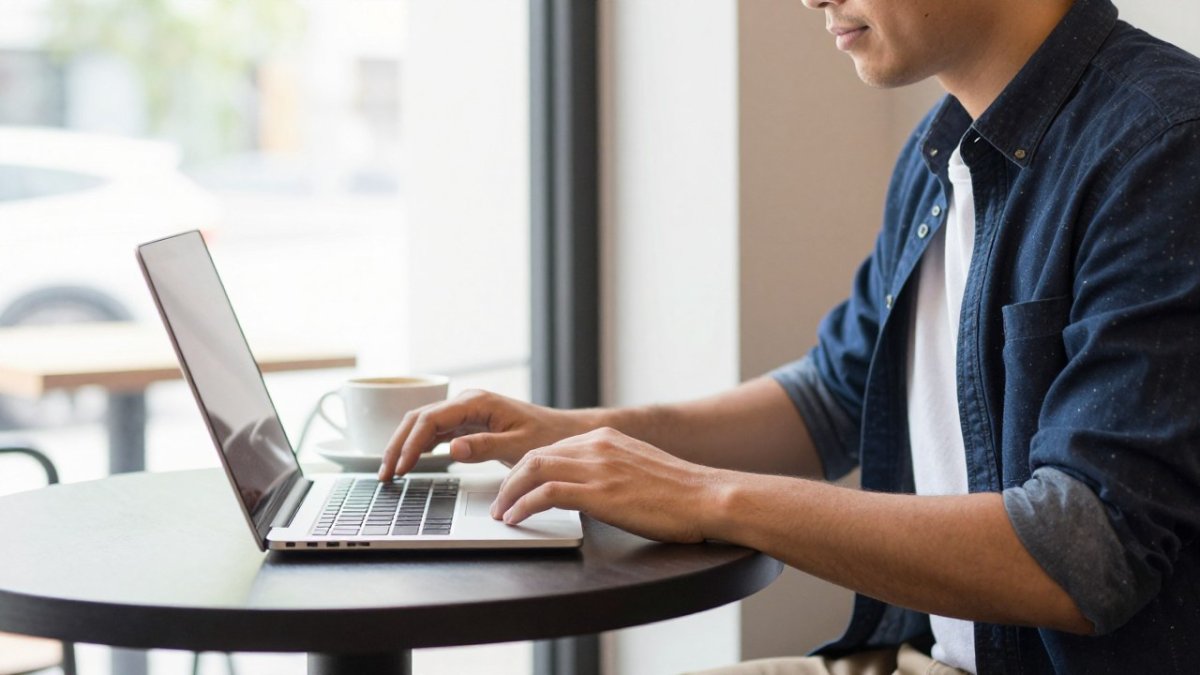
Your forearms should rest near a relaxed 90-degree angle with your elbows close to your sides. Keep your wrists straight while typing. If the table is too high, raise your seat or use a cushion, but keep your feet supported.
Raising the Screen and Using an External Keyboard
A laptop screen is too low on most cafe tables. A small laptop stand or a stack of books lifts the screen to the right height. Pair it with an external keyboard and mouse, since typing on a raised laptop is awkward.
Here is a simple setup routine:
- Place the laptop on a stand or stack at eye level
- Set the external keyboard on the table in front of you
- Keep the mouse close, at the same height as the keyboard
- Sit back so your lower back touches the chair
- Adjust the screen until you no longer tilt your head
Portable Ergonomic Tools for Remote Workers
You do not need a full office setup to work comfortably in a cafe. A few light tools cover most needs and fit in a backpack.
- Foldable laptop stand: Raises the screen to eye level
- Compact external keyboard: Keeps your wrists and shoulders relaxed
- Small lumbar cushion: Supports the lower back on any chair
- Wireless mouse: Lets you keep your hands close and loose
Look for lightweight, foldable options that are easy to carry every day.
Coffee Shop Ergonomics on a Budget and Limited Table Space
You do not need a full kit to work comfortably. The real skill is matching what you already own to the furniture in front of you, then knowing when a cheap improvised fix is good enough and when a lightweight tool earns its place in your bag.
Improvised vs. portable: what actually works
A stack of two or three hardback books under the laptop raises the screen to roughly eye level and costs nothing, but it slides, adds bulk to your bag if you carry it, and does nothing for your wrists. For more tips on picking cafes that suit remote work, read how to find remote work friendly cafes. A folded sweater or scarf behind your lower back fills the lumbar gap for a short session, yet it compresses flat within an hour.
Portable gear trades weight for repeatability. A foldable laptop stand sets up the same way every time and packs flat against a laptop sleeve. A compact external keyboard keeps your wrists neutral once the screen is raised. A small lumbar cushion holds its shape better than clothing. The trade-off is real: every tool you add is weight you carry daily, so pack only what fixes the problem you actually have, screen height first, then wrists, then lower back.
Working in limited table space
Cafe tables are often barely wider than a laptop. Maintaining an appropriate distance from your screen prevents the neck strain that often accompanies cramped setups, a principle emphasized by the specialists at Wilck Schwartz & Novak OD PC to ensure long-term visual health.
Workarounds that hold up:
- Corner or wall seat: gives you a second edge to angle the laptop and keyboard without crowding your neighbor.
- Keyboard on your lap for short bursts: acceptable for 10-15 minutes, but it drops your shoulders and rounds your back, so treat it as a stopgap, not a session setup.
- Vertical stack, not horizontal spread: put the laptop on a stand at the back edge and the keyboard directly in front, keeping the mouse within a forearm's reach rather than at the far corner.
- One-item rule: keep only the laptop, keyboard, and mouse on the table; move your phone, notebook, and cup to the side or the floor.
Watch out: if the table is too small for a raised screen and a separate keyboard, the setup is the problem, not your discipline, move to a larger table or a counter seat rather than forcing a cramped posture for hours.
The table below compares the improvised and portable options the article covers, so you can pick the right fix for your session.
| Option | Best for | Key difference |
|---|---|---|
| Stack of hardback books | Raising screen to eye level | Free, but slides and adds bulk |
| Folded sweater or scarf | Lower back support | Free, but compresses within an hour |
| Foldable laptop stand | Repeatable screen height | Packs flat, sets up the same way each time |
| Compact external keyboard | Keeping wrists neutral | Needs screen raised first |
| Small lumbar cushion | Lower back support | Holds shape better than clothing |
| Corner or wall seat | Limited table space | Gives a second edge for laptop and keyboard |
| Keyboard on lap | Short bursts of 10-15 minutes | Stopgap only; drops shoulders and rounds back |
Breaks and Stretches for Desk Workers
A good setup buys you time, but it does not cancel the strain of sitting still. The fix is a timed routine you can run without leaving your table, plus a longer movement break you take even when the cafe is busy.
A timed routine for a long cafe session
Set a phone timer before you start working. Run this cycle:
- Every 20-30 minutes: stand up for 30-60 seconds, even if you only step away from the table and sit back down. This resets the load on your lower back and hips.
- Every 45-60 minutes: take a 3-5 minute movement break. Walk to the counter, refill water, or step outside. Walking is a useful break because it lets you change position.
- Every 90 minutes: change your seat or your setup. Rotate between a backed chair and a counter seat, or switch from sitting to standing at a high table if one is available. A new position redistributes pressure that has built up in one spot.
Table-side stretches that do not draw attention
When you cannot leave the table, run this short sequence:
- Neck tilts: slowly bring one ear toward the shoulder, hold 10 seconds, switch sides. Keep the opposite shoulder relaxed.
- Shoulder rolls: roll both shoulders back and down five times, then forward five times.
- Seated twist: sit tall, place one hand on the back of the chair, and gently rotate your torso to each side, holding 10 seconds.
- Wrist and forearm stretch: extend one arm, gently pull the fingers back with the other hand, hold 10 seconds, switch.
- Chest opener: clasp your hands behind your back, straighten your arms, and lift slightly to counter rounded shoulders.
Watch out: stretching should never produce sharp pain or numbness. If a stretch sends tingling into your fingers or a shooting sensation down your leg, stop and change your position rather than pushing through it.
Signs you need a longer break or a new location
A single ache after a long session is normal. Persistent discomfort that returns every time you sit in the same spot is a signal the setup is wrong, not that you need to stretch harder. If your hands go numb, your lower back aches within the first hour, or you find yourself shifting constantly to get comfortable, stop working in that seat. Move to a different table, switch to a backed chair, or end the session and finish your work somewhere with furniture that fits your body.
Planning Your Next Cafe Work Session at Third Space Coffee
A comfortable setup works best when you pick the right place. At Third Space Coffee, we welcome remote workers and offer locally roasted coffee.
Before you arrive, decide what you need: a stand, a keyboard, and a seat with a backrest. Pack light, sit with your feet supported, and take a break every 30 to 45 minutes.
Ready to try it? book a table for your next work session and bring the setup that keeps you comfortable.
Working long hours in a cafe should not leave you sore. Put these ergonomic tips to work on your next visit and notice the difference.
Frequently Asked Questions
What are some ergonomic tips for remote workers?
Keep your screen at eye level so you are not bending your neck, and use an external keyboard and mouse so your elbows stay near your sides at roughly a 90-degree angle. Sit with your back against a backrest, feet flat on the floor, and your lower back supported, either by the chair itself or a small rolled-up towel or scarf. Change position every 30 to 45 minutes and stand or walk for a minute or two. These small adjustments reduce neck, shoulder, and back strain during long cafe sessions.
How often should I take breaks when working remotely from a cafe?
A practical routine is a short movement break every 30 to 45 minutes, plus a longer break of five to ten minutes roughly every two hours. During short breaks, stand up, roll your shoulders, and look at something at least 20 feet away for a few seconds to rest your eyes. Use longer breaks to walk to the restroom, refill water, or do a few neck and hip stretches. Stepping away also helps you notice when your posture has slipped.
Can I set up a laptop ergonomically without an external monitor?
Yes. Place your laptop on a stand or a stack of books so the top of the screen sits at or just below eye level, then use an external keyboard and mouse so you are not hunching over the built-in trackpad. Keep the screen about an arm's length away and tilt it slightly back. If the table is too low, adjust your chair height instead of lowering your shoulders to reach the keys. A stand plus separate keyboard solves most laptop posture problems without buying a monitor.
How do I choose a comfortable seat and table for working at a cafe?
Choose a chair with a full backrest over a stool, and pick a table where your elbows can rest at about the same height as the keyboard. Avoid low coffee tables and high bar tops, which force your neck or shoulders into awkward positions. Sit near an outlet if you need power, but check cable reach so you are not twisting or leaning.