
TL;DR:
- Mobile coffee pickup allows pre-ordering and quick collection, reducing wait times and increasing satisfaction.
- Proper tools, store confirmation, and timing are essential for an optimal pickup experience.
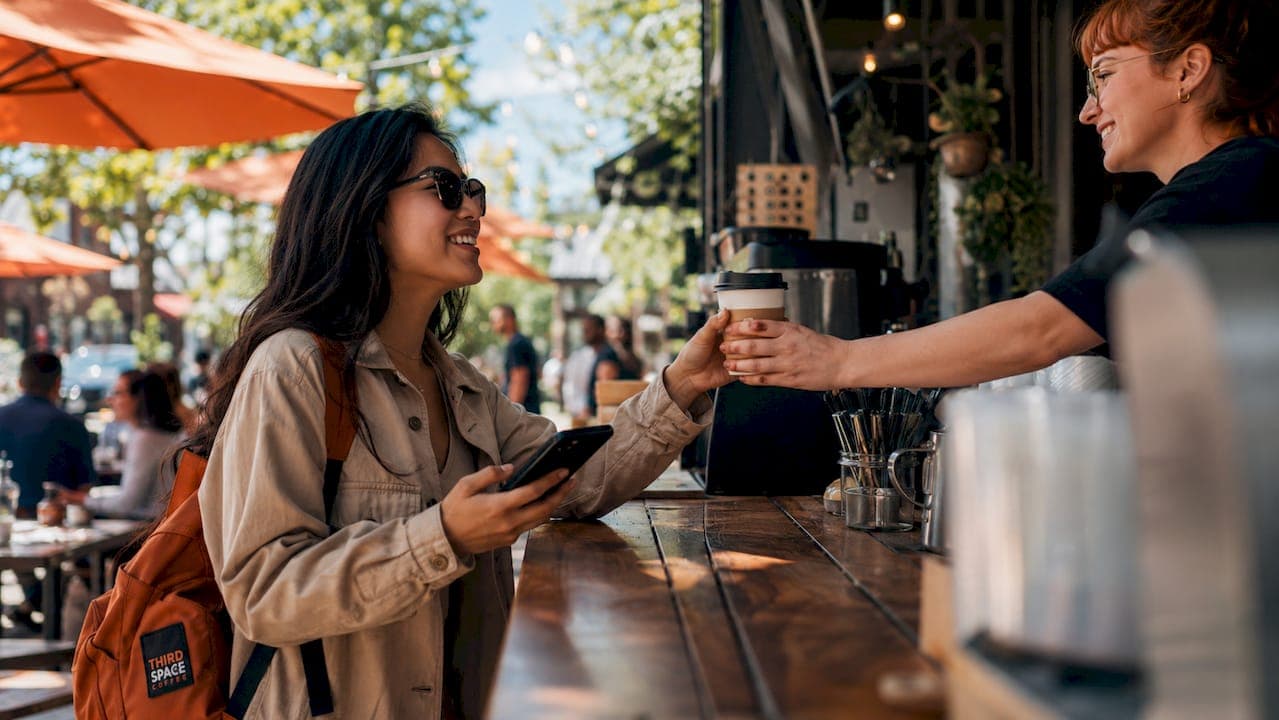
Coffee shop pickup is defined as a pre-order service that lets you pay and customize your drink online, then collect it at the counter, curbside, or drive-thru without waiting in a standard queue. Mobile ordering reduces in-store wait times by over 3 minutes and 30 seconds compared to traditional ordering, with customer satisfaction reaching 95% for in-store pickup. That number tells you pickup is not just a convenience feature. It is a fundamentally better experience when done right. This coffee shop pickup guide covers everything Colorado Springs coffee drinkers need: the right tools, a step-by-step ordering process, timing expectations, and how to fix the most common mistakes.
What does a coffee shop pickup guide actually cover?
A coffee shop pickup guide covers the full process from opening an app to walking out with your drink. The industry term for this service is "mobile order and pay," and it applies whether you pick up at a counter, curbside, or drive-thru window. Understanding the full process matters because each pickup method has different timing, workflow, and quality considerations. Thirdspacecoffee in Colorado Springs uses front-of-store pickup for online orders, which is the most common format for specialty coffee shops.
The core benefit of mobile order and pay is time savings. You skip the decision queue, the payment queue, and often the wait queue entirely. For Colorado Springs coffee drinkers with packed morning schedules, that difference is real and repeatable every day.
What tools and technology do you need for coffee pickup?
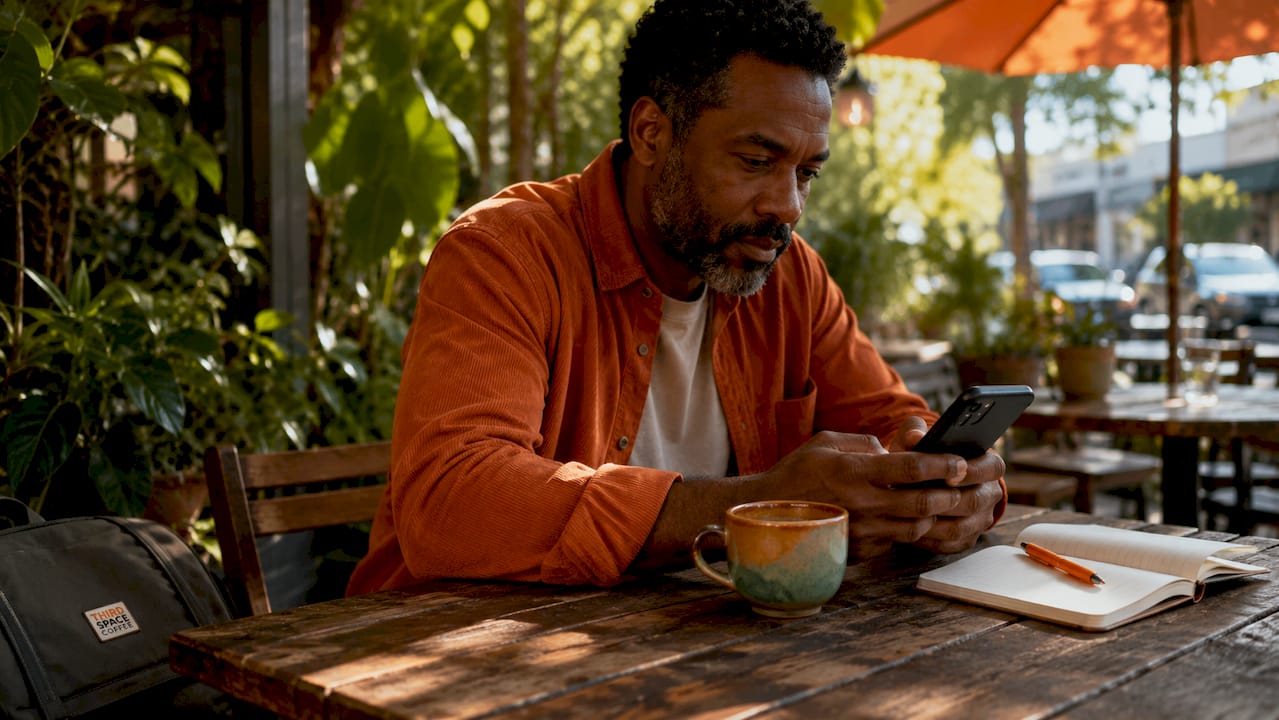
The right tools make or break your pickup experience before you even leave the house. At minimum, you need a mobile ordering app or a shop's online ordering page, a saved payment method, and the correct store location confirmed before you place your order.
Mobile apps and payment setup
Most specialty coffee apps support full drink customization, including milk type, espresso shot count, syrups, and temperature. 95% of coffee chains allow customization on mobile orders. That is a strong baseline, but only 55% of those apps show a running order total before payment, which means you need to review your cart manually before confirming. Save your payment method in advance so checkout takes under 10 seconds.
Store selection and pickup method
Selecting the wrong store location is the single most preventable pickup mistake. Production starts immediately after payment, so a wrong-store error means your drink is being made somewhere you are not. Always confirm the store address on the map screen before tapping "pay."
Pickup method matters too. Counter pickup works best for single drinks. Curbside pickup works best when you have a car and want zero lobby time. Curbside pickup software improves speed by shifting payment and decision time out of the store entirely, letting baristas focus on making drinks rather than handling transactions.
Key tools to have ready before your first pickup order:
- A mobile ordering app or the shop's online order page bookmarked
- A saved credit or debit card for fast checkout
- Location permissions enabled so the app can confirm your nearest store
- Push notifications turned on for prep status and arrival alerts
Pro Tip: Set your preferred store as a favorite in the app the first time you use it. This removes the store-selection step entirely on every future order.
How to place an effective coffee pickup order
Placing a pickup order correctly takes about 90 seconds once you know the steps. Rushing through the process is where most order errors happen.
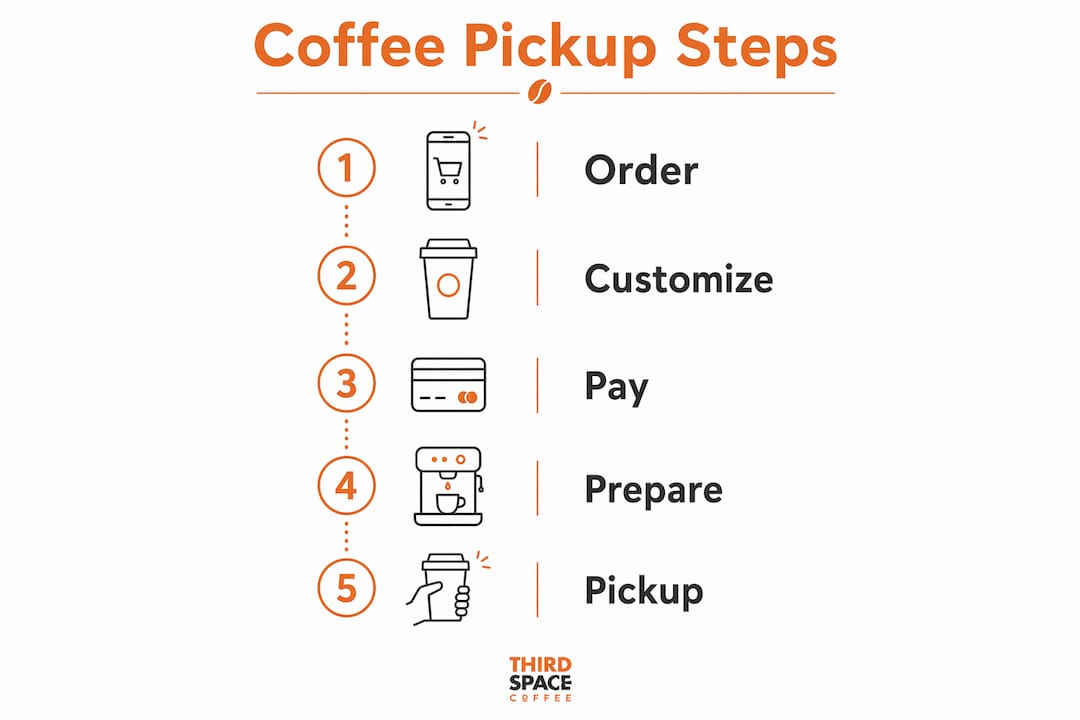
- Open the app or ordering page. Navigate to your saved store location. Verify the address matches the shop you plan to visit.
- Browse the menu and select your drink. Choose your base drink first, then move to customization. For specialty espresso drinks, select milk type, shot count, and any syrups before adding to cart.
- Use the customization tools fully. Using app customization tools before ordering aids preparation accuracy and helps the shop manage inventory in real time. Do not skip this step to save time. A wrong milk type or missing shot is harder to fix after pickup than it is to set correctly upfront.
- Review your full cart. Check every item, every modifier, and the total price. Only 55% of apps show a running total automatically, so scroll through your cart line by line.
- Confirm your pickup method. Select counter, curbside, or drive-thru based on your situation. If curbside, note your car color and model in the notes field.
- Pay and note your estimated ready time. Screenshot or memorize the time shown. This is your arrival target.
If you are ordering a light roast espresso drink and want to understand how grind and extraction affect your cup, the light roast dialing guide from Moustache Coffee Club explains the timing and workflow behind what your barista is doing.
Pro Tip: Avoid ordering complex, multi-step drinks during peak morning hours. Shops sometimes hide slow-prep items from the menu during rush to maintain order queue velocity. If your usual drink is unavailable, that is why.
What to expect during pickup and how timing affects your coffee
Timing your arrival correctly is the most underrated part of the pickup experience. Arriving too early means your drink sits on the counter getting cold. Arriving too late means it has been sitting even longer.
Typical prep times by drink type
Espresso drinks take 5–12 minutes off-peak and 10–20 minutes or more during morning rush hours, according to observed pickup windows. Bakery items and drip coffee are ready in 2–5 minutes. That gap matters when you are planning your commute. A cappuccino ordered at 7:45 AM on a Tuesday is not the same as one ordered at 10:30 AM on a Saturday.
Pickup method differences
Each pickup format has a distinct flow:
- Counter pickup: Walk in, give your name, collect your drink. Best for single drinks with no food.
- Curbside pickup: Park in the designated spot, tap "I'm here" in the app, and a runner brings your order out. Dedicated curbside runners and staging areas reduce lobby crowding and support faster handoffs without adding staff.
- Drive-thru: Pull up, confirm your name, and collect. Fastest for single drinks when the lane is short.
Using app status updates
Most mobile ordering apps send push notifications when your order moves from "received" to "in progress" to "ready." Turn these on. Arriving within 2 minutes of the "ready" notification keeps your drink at peak temperature and texture. Real-time updates and arrival alerts directly improve repeat pickup habits because customers learn the shop's rhythm over time.
Pro Tip: For the morning rush, place your order before you leave home, not when you pull into the parking lot. A 10-minute head start on a busy day is the difference between a hot drink and a lukewarm one.
How to troubleshoot and avoid common coffee pickup mistakes
Most pickup problems are preventable. The ones that are not are usually fixable in under two minutes if you know what to do.
Common mistakes and how to handle them:
- Wrong store selected: Check your confirmation email or app receipt immediately. If production has started, call the shop directly. Do not drive to the wrong location hoping it will work out.
- Missing item or incorrect modifier: Check your bag before leaving the pickup area. Compare every item against your app receipt. Baristas fix modifier errors quickly when caught at the counter.
- Payment method declined: Keep a backup card saved in the app. A declined payment at checkout means your order never entered the queue.
- Loyalty points not applied: Confirm your account is logged in before placing the order. Points applied after the fact require a manual adjustment from staff.
"Verifying the correct store address before payment is vital to avoid order errors and waste. Mobile apps should always show the full final order and pickup location to prevent costly errors, as store production starts immediately after payment."
Only 58% of pickup orders maintain food and beverage quality during the handoff due to packaging challenges. That means nearly half of all pickup orders arrive at the customer with some quality loss. You can reduce your personal risk by picking up promptly, choosing insulated cup options when available, and avoiding long drives after pickup for temperature-sensitive drinks.
For a deeper look at reducing pickup wait times from the shop's side, Thirdspacecoffee's blog covers workflow strategies that directly affect your experience as a customer.
Best practices for maximizing your coffee pickup experience in Colorado Springs
Colorado Springs has a strong specialty coffee culture, and local shops like Thirdspacecoffee operate with a different rhythm than chain locations. Understanding that rhythm helps you get the most from every pickup visit.
Practical habits that improve every order:
- Order add-ons that travel well. Whole bean bags, drip coffee, and packaged food items hold quality better than milk-based espresso drinks during a long commute. If you are picking up for a meeting, consider adding a whole bean option to your order.
- Use curbside when the lot has designated spots. Curbside pickup works best when the physical environment treats the parking lot as an extension of the shop floor, with clear staging and runner roles. If the shop has marked curbside spots, use them. Parking in an unmarked space slows the runner down.
- Build a consistent order routine. The direct digital relationship between you and a local coffee shop strengthens over time. Shops learn your preferences, and you learn their peak hours. That consistency benefits both sides.
- Check the menu for seasonal or limited items before peak hours. Specialty shops rotate offerings. Ordering a seasonal drink during the morning rush when it requires extra prep time slows the queue for everyone.
Pro Tip: If you pick up coffee for a group, use the notes field to label each drink with the recipient's name. Baristas often write names on cups for counter pickup, but a note in the order confirms it when the shop is busy.
For more on contactless pickup strategies tailored to busy coffee drinkers, Thirdspacecoffee's blog covers the full range of mobile order options available locally.
My honest read on coffee pickup in Colorado Springs
I have watched the pickup experience evolve from a novelty into the default for a large share of specialty coffee customers. The technology works. The real variable is how well you use it.
The mistake most people make is treating pickup like a vending machine transaction. You tap, you go, you grab. But specialty coffee is not a vending machine product. The barista still pulls your shot, steams your milk, and times your extraction. Pickup just moves the payment and wait out of the lobby. The craft stays the same.
What I have found is that customers who get the most from pickup are the ones who invest two minutes upfront: they confirm the store, review the cart, and time their arrival to the notification. That small habit eliminates 90% of the frustration people associate with mobile ordering.
Local shops like Thirdspacecoffee are worth supporting through their pickup systems specifically because the revenue stays in Colorado Springs and the relationship stays direct. When you order through a local shop's own system rather than a third-party aggregator, the shop keeps more margin and you get a more accurate order. That is a better deal for everyone.
Pickup does not replace the experience of sitting in a great coffee shop. But for a Tuesday morning when you have 15 minutes before a meeting, it is the right tool. Use it well.
— Tanya
Thirdspacecoffee pickup: what's available for Colorado Springs coffee drinkers
Thirdspacecoffee offers front-of-store pickup for online orders at their Colorado Springs location, with in-house roasted whole bean coffees and a full specialty drinks menu available to order ahead.

Their specialty drinks menu includes espresso-based options built for pickup, from a clean Third Space Americano to a well-structured cappuccino. Each drink is made from beans roasted on-site, which means the quality you taste in the shop is the same quality you pick up at the counter. Browse the full menu, place your order online, and collect it at the front of the store without waiting in line. For Colorado Springs coffee drinkers who want specialty quality on a tight schedule, Thirdspacecoffee's pickup system is built for exactly that.
FAQ
What is coffee shop pickup and how does it work?
Coffee shop pickup, also called mobile order and pay, lets you order and pay for your drink online before arriving at the shop. Your order enters the queue immediately after payment, and you collect it at the counter, curbside, or drive-thru when it is ready.
How long does a coffee pickup order take to prepare?
Espresso drinks typically take 5–12 minutes off-peak and 10–20 minutes or more during morning rush hours. Drip coffee and bakery items are usually ready in 2–5 minutes.
What is the most common coffee pickup mistake?
Selecting the wrong store location is the most common error. Production starts immediately after payment, so always confirm the store address on the map screen before completing checkout.
Does mobile ordering actually improve the pickup experience?
Mobile ordering reduces in-store wait times by over 3 minutes and 30 seconds compared to traditional ordering, with customer satisfaction reaching 95% for in-store pickup. Turning on push notifications and arriving within 2 minutes of the "ready" alert keeps your drink at peak quality.
How do I pre-order coffee for pickup at Thirdspacecoffee?
Visit the Thirdspacecoffee website, browse the menu, and place your order online for front-of-store pickup at their Colorado Springs location. For detailed steps on the pre-order process, their blog covers the full workflow including event and group orders.
Key takeaways
A well-timed, correctly customized mobile order is the single most effective way to get specialty coffee without sacrificing quality or waiting in line.
| Point | Details |
|---|---|
| Confirm store before paying | Production starts immediately after payment, so verify the store address on the map screen first. |
| Review your full cart | Only 55% of apps show a running total automatically, so check every modifier before checkout. |
| Time your arrival to the notification | Arrive within 2 minutes of the "ready" alert to collect your drink at peak temperature and quality. |
| Use curbside for zero lobby time | Designated staging areas and runner workflows make curbside the fastest pickup format when available. |
| Order ahead during morning rush | Placing your order before you leave home gives baristas a head start and keeps your drink hot on arrival. |