
TL;DR:
- Contactless coffee pickup enables customers to order, pay, and collect drinks digitally without physical interaction. It reduces wait times and improves order accuracy by separating mobile orders from in-store traffic and using designated pickup zones. Properly selecting the pickup mode and timing orders 5–10 minutes before arrival enhances speed and freshness.
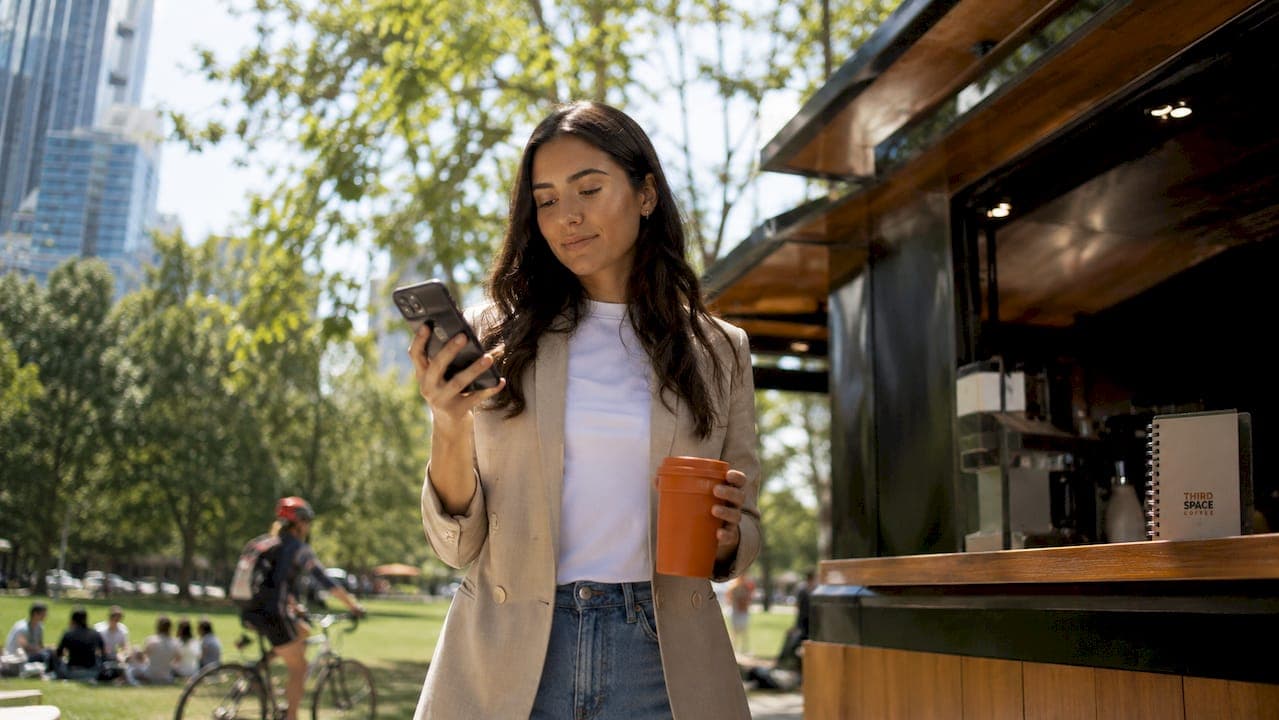
Contactless coffee pickup is defined as a system where customers order, pay, and collect coffee without physical interaction, using digital tools like mobile apps or QR codes. The Starbucks app is the most recognized example, but the model now extends to independent cafes across Colorado Springs and beyond. Contactless systems reduce wait times by up to 40% compared to traditional ordering lines. That single shift changes the entire morning coffee run for anyone who values their time.
What is contactless coffee pickup and how does it work?
Contactless coffee pickup, also called touchless coffee service in retail design circles, lets customers complete the entire transaction digitally before they walk through the door. You open an app or scan a QR code, build your order, pay, and choose a pickup method. The shop prepares your drink, stages it at a designated spot, and sends you a notification when it is ready. You walk in, grab your order, and leave without waiting in line or handling a physical menu or payment terminal.
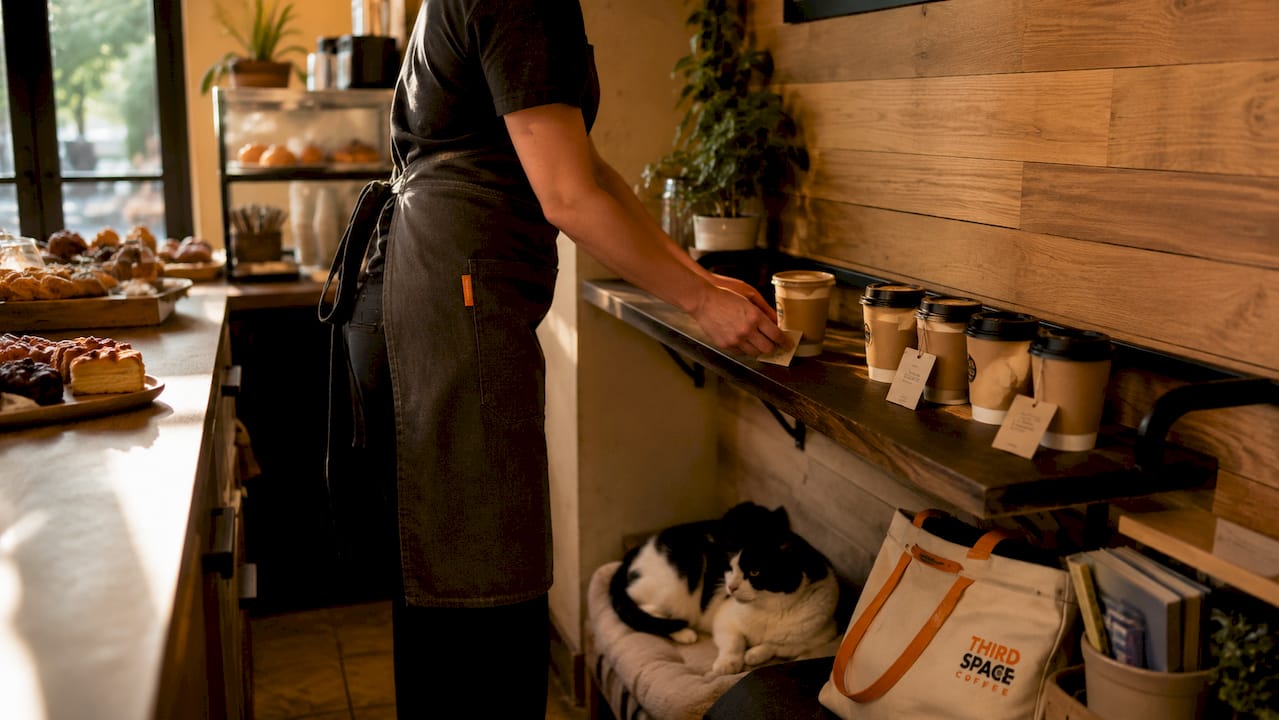
The digital handoff to a dedicated pickup shelf is the real engine behind the speed gains, not just the digital payment itself. When a shop separates mobile orders from walk-in orders physically, the retrieval process takes seconds. Shops that skip this step and mix mobile orders with counter orders lose most of the time benefit. Physical space design matters as much as the app itself.
QR code ordering works slightly differently. You scan a code at the counter or table, place your order through a mobile browser, and pay without downloading anything. This approach suits customers who prefer not to install an app but still want a contactless coffee order experience.
What are the main contactless pickup options?
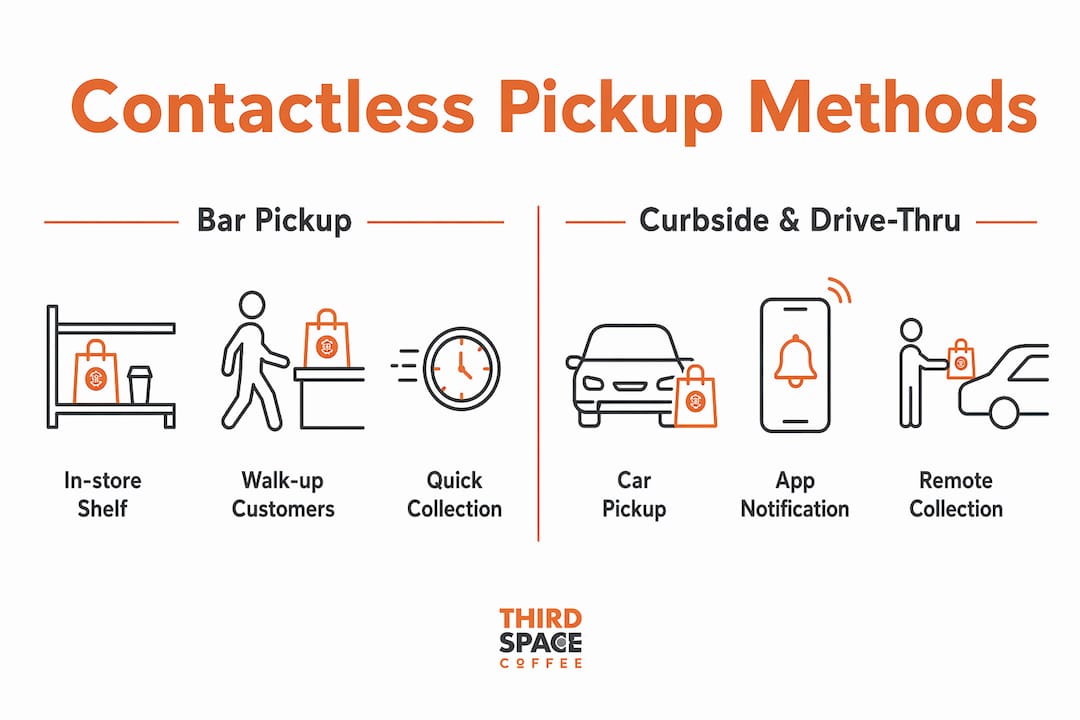
Three primary pickup modes define how contactless coffee service operates: Bar Pickup, Curbside, and Drive-Thru mobile ordering. Each suits a different customer situation and store layout.
Bar pickup
Bar Pickup is the most common mode. Your order is placed on a dedicated in-store shelf, labeled with your name or order number. You walk in, find your drink, and leave. No cashier interaction required. This works best for customers who are already near the shop or walking by.
Curbside pickup
Curbside works differently. You notify the shop through the app when you arrive in the parking lot, and a staff member brings your order to your vehicle. This mode suits customers with mobility limitations, parents with young children, or anyone who simply does not want to leave their car.
Drive-thru mobile ordering
Drive-Thru mobile ordering routes your pre-placed order to the drive-thru lane. You confirm your arrival through the app, and the order is ready when you reach the window. This cuts the time spent at the speaker box to nearly zero.
Choosing the wrong pickup mode at the time of ordering creates real problems. Selecting the correct pickup type in the app determines where your order is physically staged. If you choose Bar Pickup but drive to the curbside lane, your drink is sitting on a shelf inside getting cold.
| Pickup Mode | Where You Collect | Best For |
|---|---|---|
| Bar Pickup | In-store dedicated shelf | Walkers, commuters on foot |
| Curbside | Staff brings to your vehicle | Drivers, parents, accessibility needs |
| Drive-Thru | Drive-thru window | Drivers who want zero stops |
How does contactless pickup improve speed and order accuracy?
Mobile order wait times run 3–8 minutes during off-peak hours and can stretch to 10–20 minutes or more during morning rush. That range matters because timing your order correctly is the single biggest factor in getting a fresh drink. Order too early and your latte sits cooling on a shelf. Order too late and you are standing around waiting anyway.
The accuracy benefit is less obvious but equally real. When you customize your drink through an app, every detail is transmitted digitally to the barista's screen. There is no mishearing "oat milk" as "whole milk" across a noisy counter. The order is written exactly as you entered it, every time.
Pro Tip: Place your contactless coffee order when you are 5–10 minutes from the shop. This matches your arrival to the drink's preparation window and keeps your order hot and fresh.
A few pitfalls are worth knowing. App "notes" fields for extra customization may be overlooked during busy periods. If your drink has three or more non-standard modifications, take a screenshot of your order confirmation before you arrive. That screenshot gives you a clear reference if something looks wrong at pickup.
The workflow benefits for coffee shops are just as significant. Dedicated mobile order shelves reduce queue congestion at the counter, which speeds up service for walk-in customers too. The whole operation runs cleaner when digital orders have their own physical lane.
How to use contactless coffee pickup effectively
Getting the most from a contactless coffee order takes about three minutes of setup the first time. After that, it becomes faster than any other way to get coffee.
- Download the app and create an account. Most coffee shops with contactless pickup use a branded app. Enable location services when prompted. Location services speed up store selection and reduce friction when you are ordering on the move.
- Build your order. Select your drink, size, and customizations from the menu. For complex drinks, keep modifications to what the app menu supports directly.
- Choose your pickup mode. Select Bar Pickup, Curbside, or Drive-Thru before you check out. This step determines where your drink will be staged.
- Pay digitally. Complete payment through the app. Most apps accept credit cards, Apple Pay, and Google Pay.
- Wait for the "Ready for Pickup" notification. Do not head to the shop until you receive this alert. Arriving early does not speed up preparation.
- Collect your order. Go directly to the pickup shelf, curbside zone, or drive-thru window based on your selection. Bring your order confirmation if you want to verify details.
Pro Tip: Save your most frequent order as a favorite in the app. One-tap reordering based on your purchase history cuts the ordering process to under 30 seconds on repeat visits.
For highly customized drinks, consider ordering in person or through the drive-thru instead. Complex customizations are less flexible on contactless platforms, and in-store ordering gives you direct communication with the barista. Knowing when to use the app and when to skip it is part of using the system well.
You can also read more about pre-ordering coffee for pickup to get the full picture on timing and preparation for both daily orders and larger event needs.
How does contactless pickup affect coffee shop operations and customer loyalty?
Apps that track purchase history enable quick reordering of your usual drink, which builds a stronger connection between the customer and the shop. Independent cafes use this feature to maintain a personal feel while offering the speed of a digital system. The technology does not have to make a coffee shop feel corporate. It can make it feel like the shop knows you.
From an operations standpoint, contactless ordering meets customer demands for speed, convenience, and safety while also supporting accessibility for customers who find traditional counter interactions difficult. Shops that implement dedicated pickup zones report fewer bottlenecks during peak hours. The counter stays clear for walk-in customers, and mobile order customers move through without stopping.
"Contactless pickup requires more than adding technology. It needs strategic retail space alignment to avoid bottlenecks and prioritize customer time." — Contactless Service Design: Practical UX & Strategy
Standardized menus work best for contactless systems. Shops with a focused, well-defined menu see the highest accuracy rates and fastest throughput with mobile ordering. Shops with highly variable, chef-driven menus sometimes find that in-person ordering still serves their customers better for certain items.
The broader shift here is real. Contactless pickup moves the customer relationship from a physical transaction at a counter to an ongoing digital connection. That connection, when managed well, produces stronger loyalty than any loyalty punch card ever did.
Key Takeaways
Contactless coffee pickup reduces wait times by up to 40% and works best when customers choose the correct pickup mode, time their order 5–10 minutes before arrival, and use app reordering for standard drinks.
| Point | Details |
|---|---|
| Core definition | Contactless pickup means ordering, paying, and collecting coffee digitally with no physical interaction. |
| Three pickup modes | Bar Pickup, Curbside, and Drive-Thru each stage your order in a different location. |
| Speed gains | Dedicated pickup shelves cut wait times by up to 40% compared to traditional counter lines. |
| Timing your order | Order 5–10 minutes before arrival to receive a fresh drink at the right moment. |
| Customization limits | Highly modified drinks are better ordered in person or at the drive-thru for accuracy. |
Why contactless pickup is really about time, not just technology
I have watched the conversation around contactless coffee shift over the past few years. Early on, the focus was almost entirely on safety and avoiding shared surfaces. Now, the customers I talk to barely mention that. What they care about is time.
The real value of a contactless coffee order is not the absence of touch. It is the absence of waiting. Busy people in Colorado Springs are not skipping the counter because they are worried about germs. They are skipping it because they have 12 minutes between a school drop-off and a work call, and they still want a quality cup of coffee.
What I find most interesting is how well this model works for independent shops when they commit to it fully. A local cafe that sets up a clean pickup shelf, sends accurate notifications, and keeps its app menu current can deliver a faster experience than a chain location that treats mobile ordering as an afterthought. The technology is not the differentiator. The execution is.
My honest advice: if you have not tried a contactless pickup at your regular coffee shop, spend two minutes setting it up before your next visit. The first order takes a little longer. Every order after that is faster than anything you have done at a counter. That is a trade worth making.
— Tanya
Thirdspacecoffee makes contactless ordering easy in Colorado Springs
Thirdspacecoffee offers a straightforward online ordering system built for customers who want quality coffee without the wait. Whether you are grabbing a quick drink before work or picking up for a meeting, the front-of-store pickup process is designed to get you in and out fast.

Thirdspacecoffee roasts its beans in-house and offers a full range of specialty drinks available for contactless order and pickup. From classic espresso drinks to seasonal options, every order is prepared fresh. If you want to know more about the advantages of ordering coffee online before your first pickup, that resource covers the full picture. Place your order online, choose your pickup time, and let Thirdspacecoffee handle the rest.
FAQ
What is contactless coffee pickup?
Contactless coffee pickup is a system where customers order and pay for coffee digitally through a mobile app or QR code, then collect their drink at a designated spot without interacting with staff or handling physical payment terminals.
Is contactless coffee pickup safe?
Contactless ordering eliminates shared surfaces like menus and payment terminals, which reduces physical contact points. It also supports accessibility for customers who find traditional counter interactions difficult.
How do I place a contactless coffee order?
Download your coffee shop's app, build your order, select a pickup mode (Bar Pickup, Curbside, or Drive-Thru), pay digitally, and wait for a "Ready for Pickup" notification before heading to the shop.
What is the best time to place a mobile coffee order?
Order 5–10 minutes before you arrive at the shop. This timing matches your arrival to the drink's preparation window and keeps your order fresh rather than sitting on a shelf.
Can I customize my drink with contactless pickup?
Standard customizations work well through most apps. For complex or highly specific modifications, ordering in person or at the drive-thru is more reliable, since app notes fields can be missed during busy periods.